


Trusted by 1M+ creators
MP4 Compressor
Reduce your video’s file size without losing quality. Online MP4 compressor
No credit card required
4.6
2,100+ reviews














Reduce your video’s file size: Online MP4 compressor
Reduce your video’s file size with minimal loss in quality. The MP4 video compressor is a free online tool that will make your MP4 files smaller. While MP4 is already the smallest, most compatible, and most recommended of all video file formats, some MP4 files can still be large in size. Compress your videos to the smallest video file format in a few clicks with the MP4 compression tool.
How to compress an MP4:
Step 01
Upload your video
Upload your MP4 file to the editor. You can drag and drop your videos to the timeline.
Step 02
Adjust your compression settings
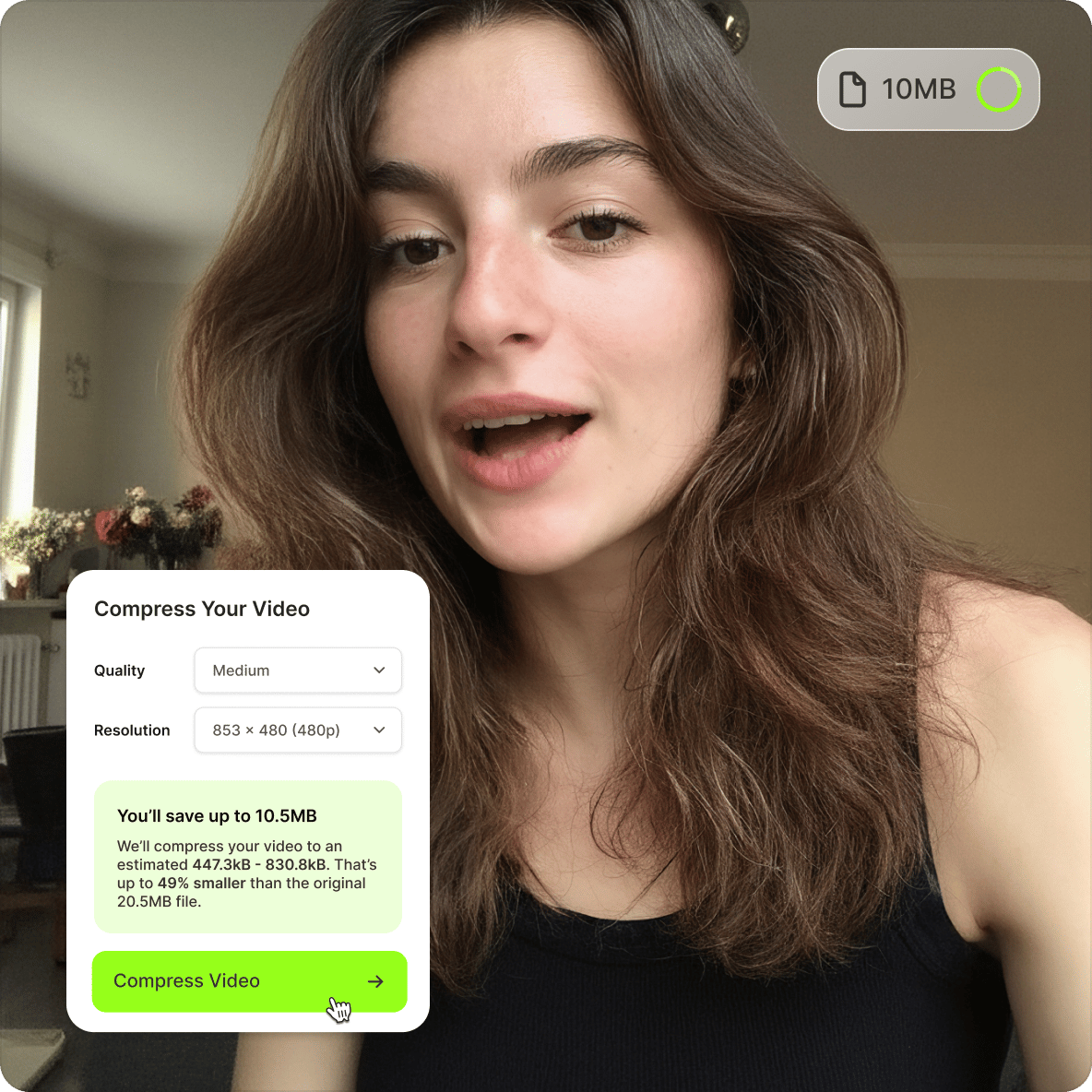
Select a video resolution from the compression settings. You can also go to the Advanced Settings to adjust the bit rate and frame rate.
Step 03
Export and share
Export your video in MP4 format, or keep editing. Trim your video, auto-cut filler words and long pauses, or share your video using VEED’s built-in web hosting.
Learn More
Learn how to reduce the file size of an MP4 video:
Fast online MP4 compressor
The online MP4 compression tool lets you compress your MP4 videos in just a few clicks. You can do it straight from your browser. It is faster and easier to use an online compressor than using apps like VLC or QuickTime Player. You can choose your video’s resolution from Standard to High Quality. Your compressed video’s file size will depend on the image quality and resolution.
Need to email videos? Reduce MP4 file size
If you want to send your MP4 videos via email, make sure you don’t exceed the mail attachment limit. It’s best to compress your MP4 files first before sending them. Use our free MP4 compressor.
Convert other video formats
The MP4 compressor is also a video converter. If you have other videos that are not in MP4 format, you can use VEED to convert them to MP4.
Fast and simple online video editing
Aside from compressing and converting videos, you can also use VEED’s free online video editing tools. You can combine different video tracks, add subtitles, cut and trim, add images and sound, and a lot more!
FAQ
- Select the MP4 file from your folders and upload it to the editor
- Adjust your compression settings
- Save and download your video
- Share
Even though MP4 is smaller in size, it can still retain high-quality resolution. This depends on the compression settings that you choose when you reduce the size of an MP4 file.
While AVI is also a popular video format, it is much larger in file size than an MP4. If you want to compress your AVI files, you can convert them to MP4 using VEED’s video converter.
No, they are not the same. It’s easy to confuse the two because it sounds like MP4 is just short for MPEG-4 but it’s more complex than that. MPEG-4 is a video codec—a program that compresses videos to manageable sizes, and MP4 is a container format. This means that it can ‘contain’ other tracks such as subtitle tracks, soundtracks, images, etc.
MP4 does stand for MPEG-4 but it only applies to MPEG-4 Part 14 which has the .mp4 extension on its filename. It has become the most popular and most supported format, compatible with all media players.
When sending multiple or large MP4 files via email, you risk exceeding the file size limit which is 20 - 25MB in most cases. If you exceed this limit, your email will not be sent. You can send your videos in a zipped file, but it is not ideal. It’s best to compress your MP4 videos using video compression tools.
Loved by creators.
Loved by the Fortune 500
“
With VEED I didn't need 15 tutorials - I jumped straight in and started editing.

Gwenne Wilcox
Founder,
Brand Brainery
“
You can go beyond choppping things. VEED actually makes my videos look great.

Michael Glover
Demand Gen Manager,
ConvertFlow
“
The first four videos i created with VEED got over 40,000 impressions on LinkedIn.

Travis Tyler
Senior Content Producer,
PandaDoc
“
I found VEED at the right time: if you're making UGC ads and not using Eye Contact Correction and Noise Reduction on VEED you're missing out on ROI.

Sebastian Schurgers
Head of Growth Marketing,
Gronda
“
With VEED I didn't need 15 tutorials - I jumped straight in and started editing.
Gwenne Wilcox
Founder,
Brand Brainery
“
You can go beyond choppping things. VEED actually makes my videos look great.
Michael Glover
Demand Gen Manager,
ConvertFlow
“
The first four videos i created with VEED got over 40,000 impressions on LinkedIn.
Travis Tyler
Senior Content Producer,
PandaDoc
“
I found VEED at the right time: if you're making UGC ads and not using Eye Contact Correction and Noise Reduction on VEED you're missing out on ROI.
Sebastian Schurgers
Head of Growth Marketing,
Gronda
“
The first four videos i created with VEED got over 40,000 impressions on LinkedIn.
Travis Tyler
Senior Content Producer,
PandaDoc
“
I found VEED at the right time: if you're making UGC ads and not using Eye Contact Correction and Noise Reduction on VEED you're missing out on ROI.
Sebastian Schurgers
Head of Growth Marketing,
Gronda
“
With VEED I didn't need 15 tutorials - I jumped straight in and started editing.
Gwenne Wilcox
Founder,
Brand Brainery
“
You can go beyond choppping things. VEED actually makes my videos look great.
Michael Glover
Demand Gen Manager,
ConvertFlow
Discover more
Explore related tools
More from VEED

6 Easy Ways to Compress Video Files (Without Losing Quality)
Figuring out how to compress a video file without losing quality doesn’t have to be a long and drawn-out process. Try these simple methods now!

This is the Best YouTube Banner Size (and Examples of Great Channel Art)
Here's the best size for your YouTube banner and everything you need to know to make eye-catching channel art.

Top 5 Methods to Compress Your Video Files for Email (And When to Use Each)
With so many different ways to compress your video file for email, it can be difficult to understand which is the best method for you. We eliminate the tedious guesswork by talking about the top 5 ways and when to use each one.
Trusted by 1M+ creators
When it comes to amazing videos, all you need is VEED
No credit card required
More than an MP4 compressor
Compressing your video is one way of getting it ready to publish and share online. VEED is an AI video creation platform where you can generate, refine, and export videos. Once your file is ready, add captions with the auto subtitle generator, apply your Brand Kit, and export for any platform. No switching between apps, no re-uploading your project from scratch. Get started for free.