


Trusted by 1M+ creators
Remove Background Noise from Audio
Remove noise from audio in seconds. Try background noise removal for free
No credit card required

4.6
2,100+ reviews














How to remove noise from audio with AI:
Step 01
Upload audio
Upload the audio you want to clean up – a podcast recording, voiceover, or interview. Or create a recording using our online voice recorder.
Step 02
Remove background noise
Our background noise remover cleans your audio automatically. Remove wind noise, traffic sounds, AC hums, and more. Want to hear the difference? Toggle 'Clean audio' off under AI tools.
Step 03
Enhance and download audio
Adjust volume levels, add fade-ins and fade-outs for smooth transitions, or layer in background music from our royalty-free library. Download your file as an MP3 for audio-only or an MP4 for video projects.
Learn More
Watch our AI noise remover tutorial:

Instant background noise removal
Make every recording sound like it was done in a studio. Our AI noise remover instantly eliminates distractions, making your recordings smoother and more professional. Just upload your audio, and the AI automatically removes the noise. No need to tweak equalizer settings or clean up tracks manually.

Studio-quality audio for social media, podcasts, and voiceovers
Clean up audio in podcast recordings, voiceover projects, and explainer videos. Enhance audio in product demos, webinar recordings, and song covers without complicated software. VEED's AI noise remover automatically detects and eliminates unwanted sounds — AC hums, traffic noise, breath sounds, and static.

Background noise remover powered by Dolby Technology
Our Dolby-powered AI delivers broadcast-quality audio enhancement. Automatically detects and removes unwanted sounds while preserving your voice quality. Get professional sound that keeps listeners engaged and enhances your brand's credibility.
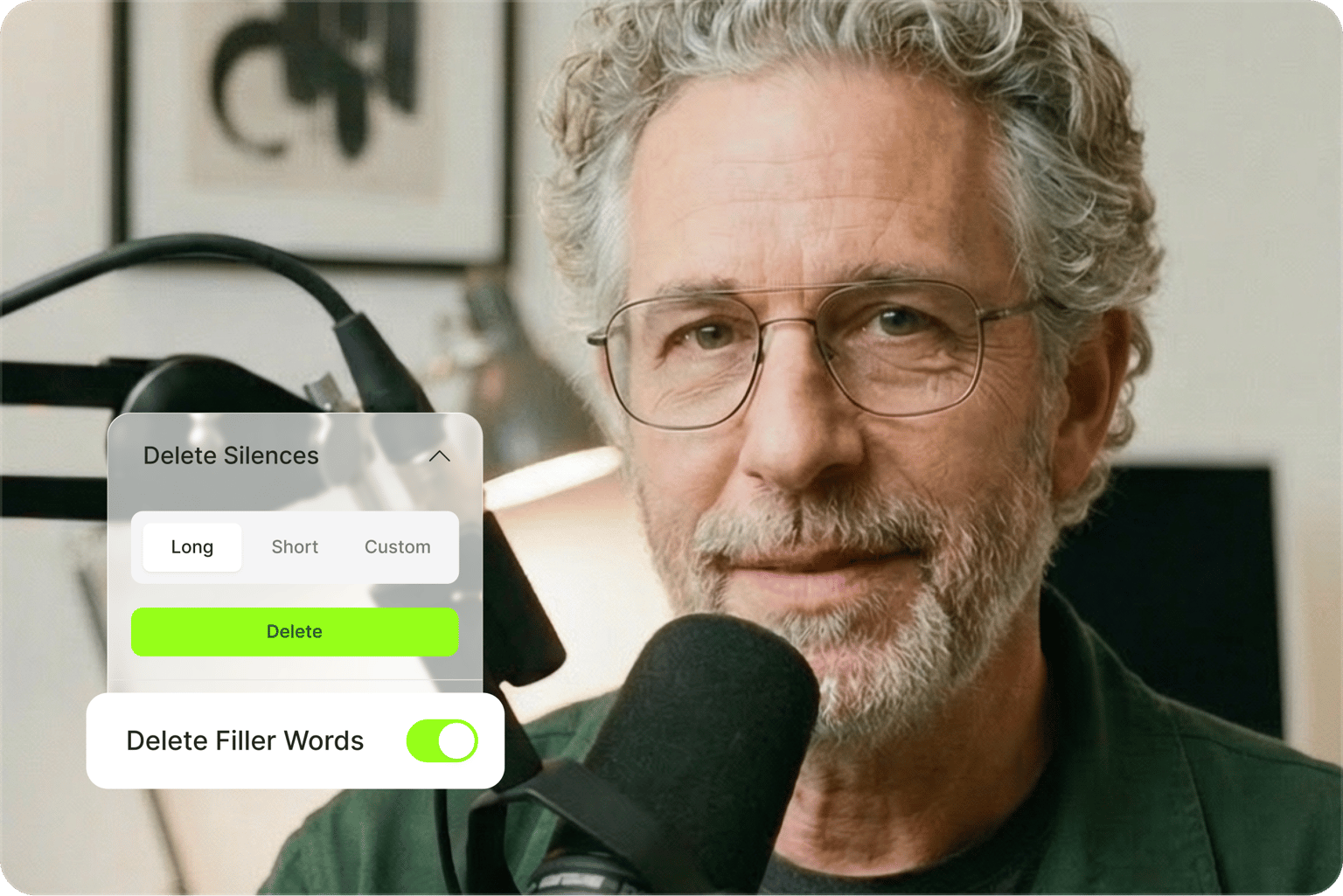
AI audio cleaner with enhancement tools
Beyond noise removal, polish your content with our complete audio editing suite. Remove filler words like "uhms" and "like" with Magic Cut for more persuasive dialogue. Add fade-ins and fade-outs for smooth transitions, or layer in background music from our royalty-free library. From audio cleanup to final export, VEED streamlines your entire workflow.
FAQ
VEED offers a simpler video denoiser online. Our AI removes background noise automatically, while manual noise reduction in Audacity or Premiere requires technical expertise and time-consuming setup. Just upload your video or audio, and our AI instantly detects and removes unwanted sounds. Get professional results in seconds, plus more audio enhancement tools.
Our AI video noise reduction tool removes hums, static, wind, traffic, and other unwanted background sounds. Clean up your audio with our online video denoiser.
Use VEED’s video noise reducer:
- Upload your video or audio file.
- Our AI automatically removes background noise.
- Toggle 'Clean audio' off under AI tools to hear the difference.
You can remove AC hums from podcasts, office chatter from meetings, or street noise from interviews. Plus, make your home voiceovers sound more professional.
Use our AI noise reducer to minimize echo and improve voice clarity. Upload your recording, and the tool automatically enhances your audio quality for more professional-sounding results.
- Start with a good microphone — even a basic clip-on mic captures cleaner audio than built-in camera mics.
- Set up in a room with carpets, curtains, or furniture to absorb sound.
- Try clapping your hands before recording. If you hear a long echo, add more soft items to the room.
Absolutely. Upload your YouTube content to our editor, and our AI automatically removes background noise. Then re-upload your YouTube video with the enhanced audio.
VEED’s background noise remover is free to try. You can then upgrade to Pro to keep using the tool. A Pro account also gives you access to more AI features like video background removal, voice cloning, and text-to-speech.
Loved by creators.
Loved by the Fortune 500
“
With VEED I didn't need 15 tutorials - I jumped straight in and started editing.

Gwenne Wilcox
Founder,
Brand Brainery
“
You can go beyond choppping things. VEED actually makes my videos look great.

Michael Glover
Demand Gen Manager,
ConvertFlow
“
The first four videos i created with VEED got over 40,000 impressions on LinkedIn.

Travis Tyler
Senior Content Producer,
PandaDoc
“
I found VEED at the right time: if you're making UGC ads and not using Eye Contact Correction and Noise Reduction on VEED you're missing out on ROI.

Sebastian Schurgers
Head of Growth Marketing,
Gronda
“
With VEED I didn't need 15 tutorials - I jumped straight in and started editing.
Gwenne Wilcox
Founder,
Brand Brainery
“
You can go beyond choppping things. VEED actually makes my videos look great.
Michael Glover
Demand Gen Manager,
ConvertFlow
“
The first four videos i created with VEED got over 40,000 impressions on LinkedIn.
Travis Tyler
Senior Content Producer,
PandaDoc
“
I found VEED at the right time: if you're making UGC ads and not using Eye Contact Correction and Noise Reduction on VEED you're missing out on ROI.
Sebastian Schurgers
Head of Growth Marketing,
Gronda
“
The first four videos i created with VEED got over 40,000 impressions on LinkedIn.
Travis Tyler
Senior Content Producer,
PandaDoc
“
I found VEED at the right time: if you're making UGC ads and not using Eye Contact Correction and Noise Reduction on VEED you're missing out on ROI.
Sebastian Schurgers
Head of Growth Marketing,
Gronda
“
With VEED I didn't need 15 tutorials - I jumped straight in and started editing.
Gwenne Wilcox
Founder,
Brand Brainery
“
You can go beyond choppping things. VEED actually makes my videos look great.
Michael Glover
Demand Gen Manager,
ConvertFlow
Explore related tools
More from VEED

How to Clean Up Audio in a Video With This One-Click Trick
Remove distracting background noises in a single click using VEED. Learn how in this guide!

11 Best Audio Recording Software to Try in 2025
We tried and tested multiple audio recording software, so you won't have to. Read on to find out which one made the 2024 list and why.

8+ Best AI Voice Generators to Try in 2026
Searching for the best AI voice generator? We tested the top ones so you don't have to. Check out our comprehensive reviews of the best AI voice generators in this listicle.
Trusted by 1M+ creators
When it comes to amazing videos, all you need is VEED
No credit card required
More than a background noise remover
Background noise removal is one of many ways to create professional content with VEED. Our AI video creation platform lets you generate videos with the best AI models, then shape the output with your own assets, captions, and branding — until it looks and sounds uniquely yours. All the tools you need, all in one platform. Make publish-ready videos in minutes. Sign up for VEED now.