


Trusted by 1M+ creators
Image Upscaler
Upscale images without losing quality
No credit card required
4.6
2,100+ reviews














AI image upscaler: Upscale, edit, and create all in one place
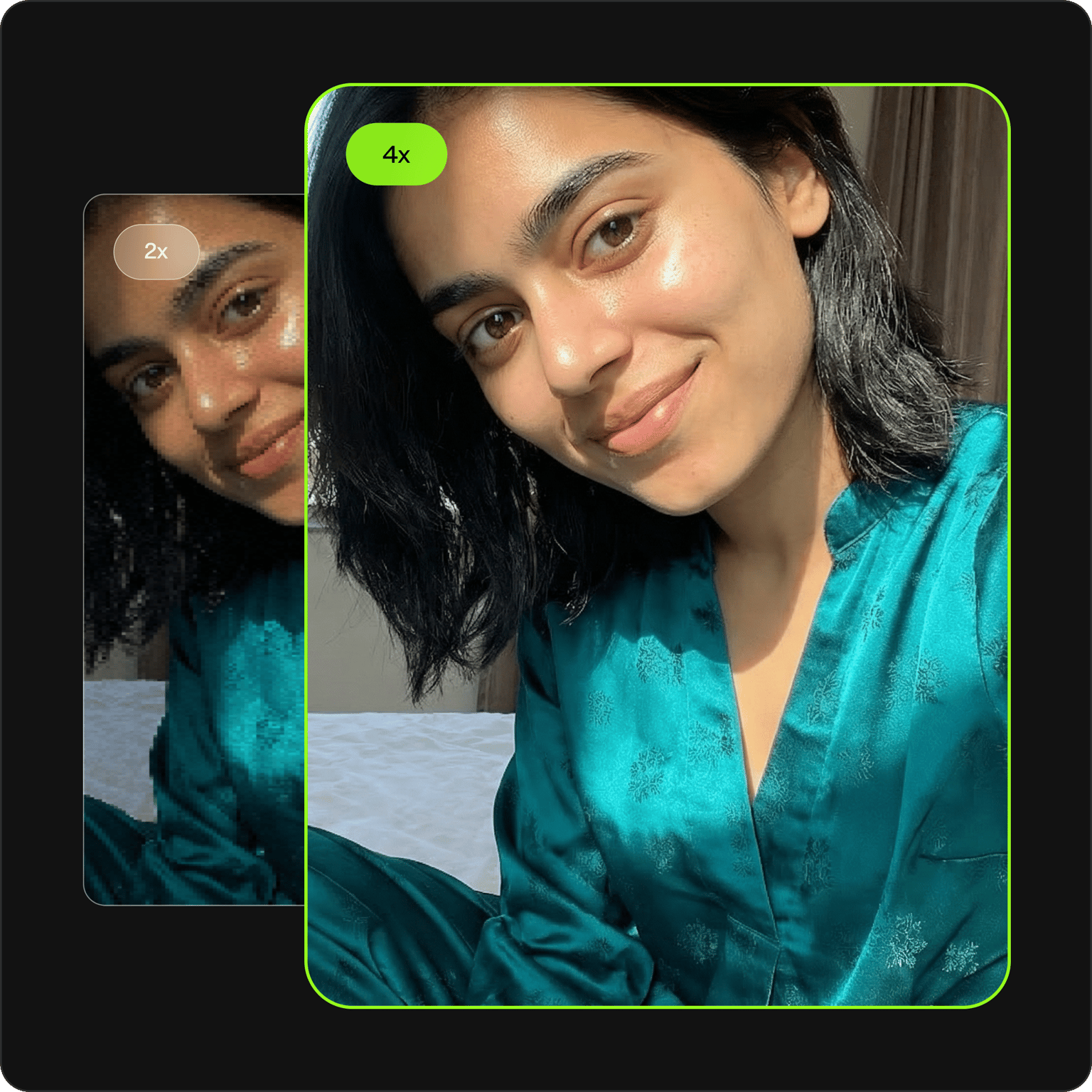
VEED's AI image upscaler takes low-resolution images and increases their size and clarity — without the pixelated mess you'd get from manual resizing. Took a screenshot that's too blurry to use for a presentation? Or lost the original file for a product photo from last year? No problem.
Our AI upscaler enhances your image in seconds. Upload your file, and choose 2x or 4x upscaling. Besides image upscaling, you can also do more edits using our AI image editor. Add or remove objects from your image, change background colors, and more.
How to upscale an image with AI

Step 01
Upload your image
Drag and drop your photo, screenshot, or graphic into the image upscaler. Our tool supports JPG, PNG, and WebP formats.
Step 02
Choose upscale level
Select 2x for quick enhancement or 4x for maximum resolution. The AI analyzes your image and increases sharpness and clarity.
Step 03
Download or keep creating
Save your upscaled image, edit it further with AI tools, or add it directly to a video project.
Learn More
Learn how to add an image to a video:
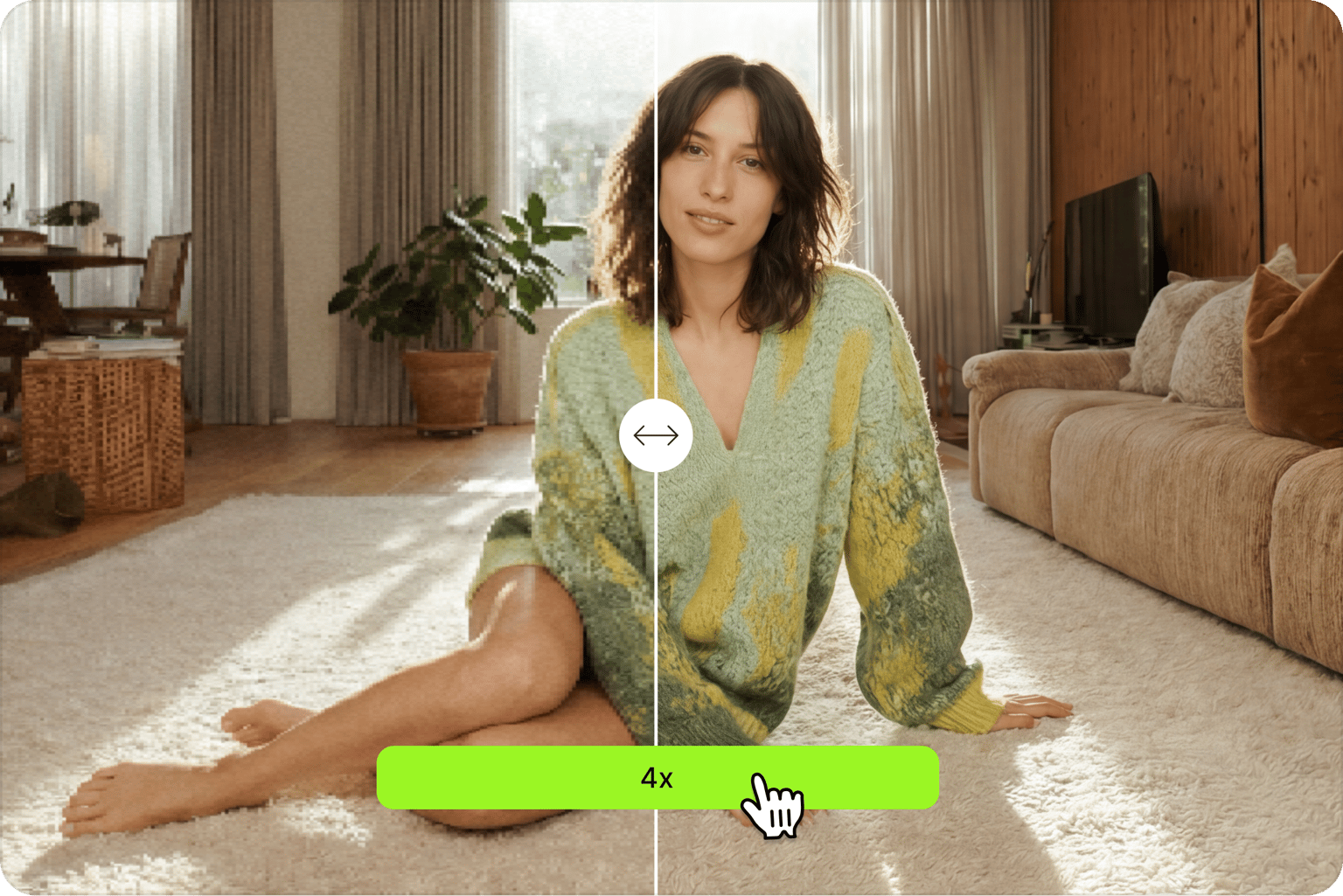
Upscale images up to 4x without losing quality
Traditional resizing stretches pixels and leaves you with a blurry mess. VEED's AI upscaler works differently. It analyzes your image and increases resolution and sharpness. Choose 2x for quick boosts or 4x when you need maximum clarity for print or large displays.
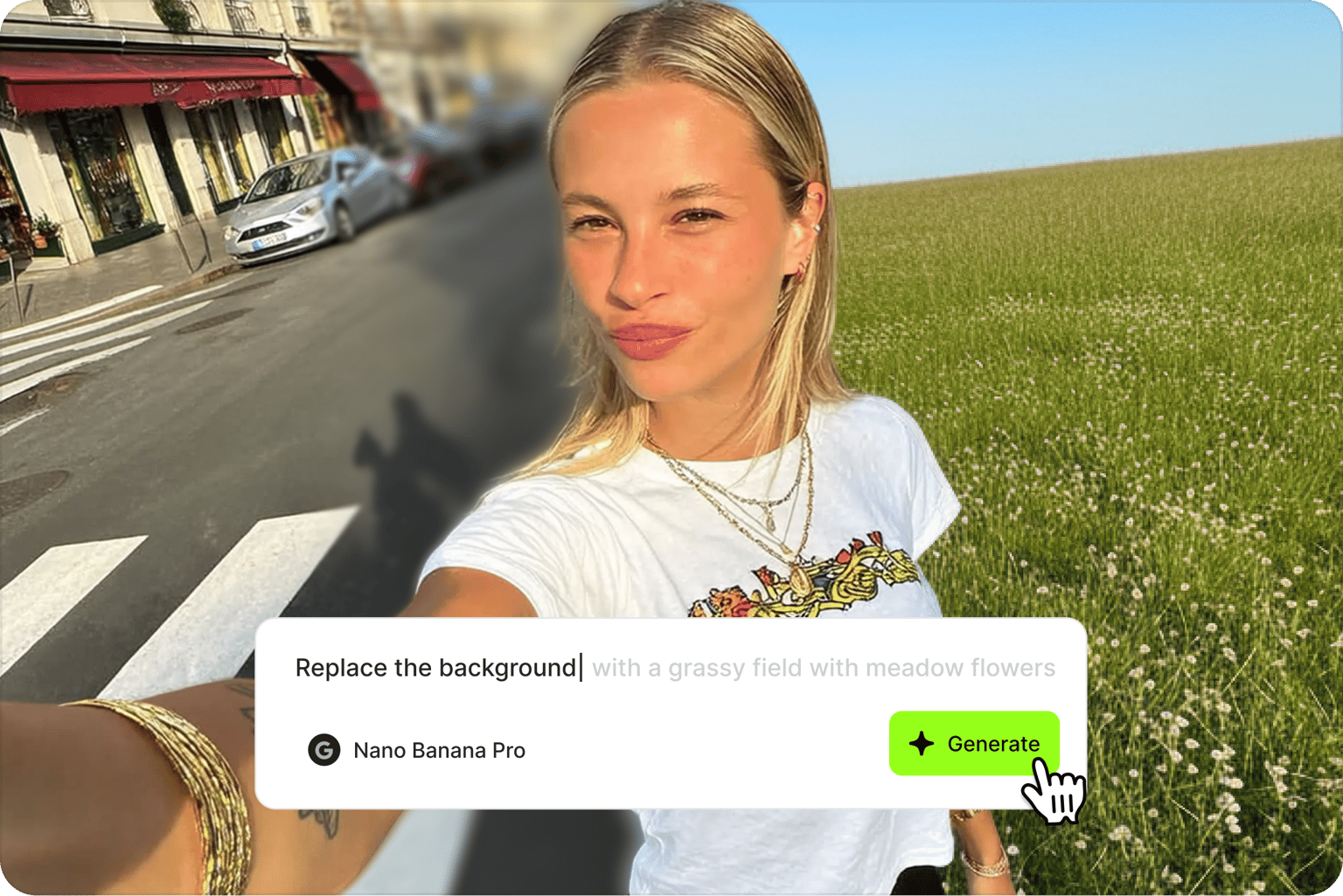
Edit your upscaled image with AI
VEED is more than a standalone photo upscaler. Once your image is enhanced, use the AI image editor to remove distracting objects, change background colors, and even rewrite text in graphics. No need to export and transfer platforms.
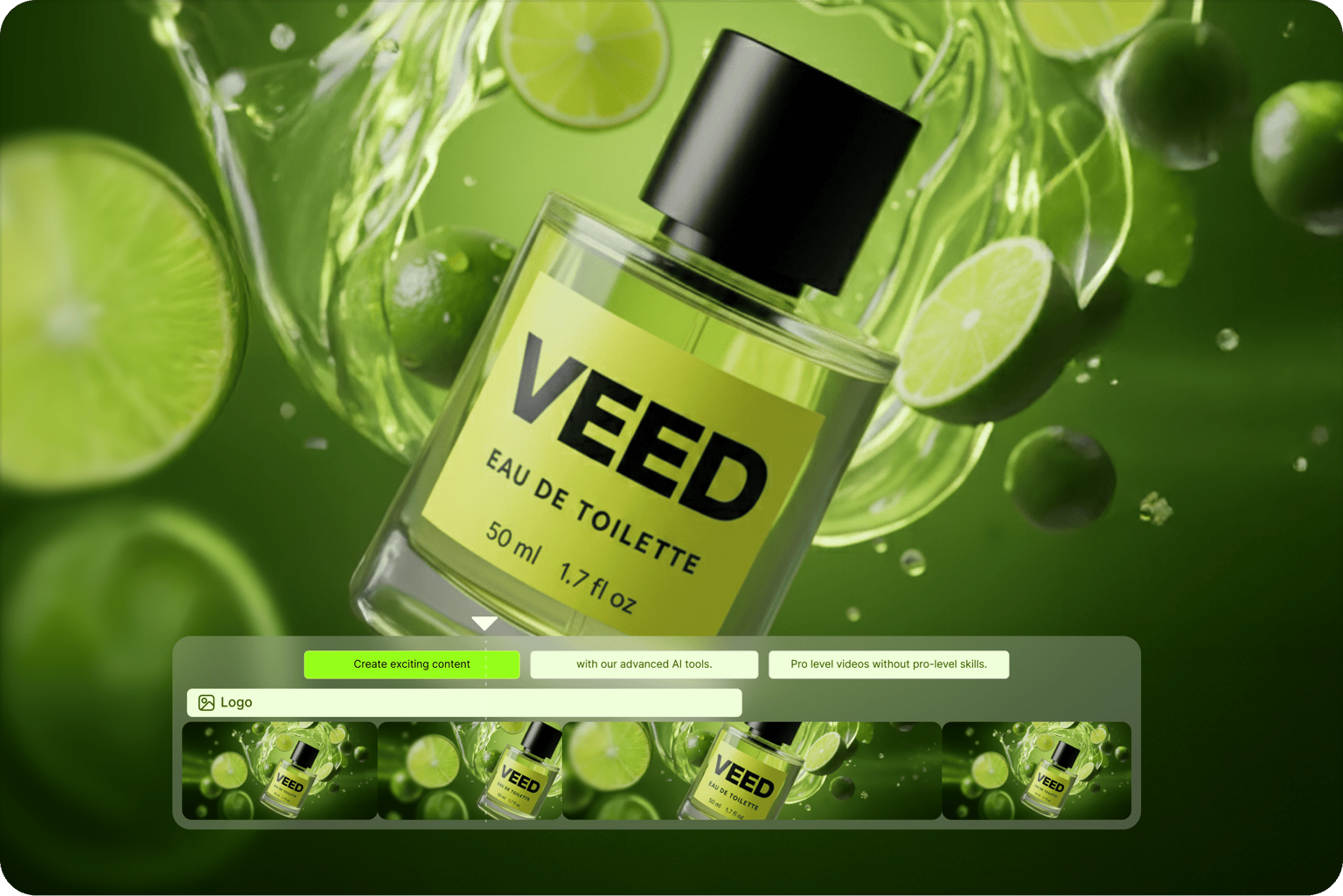
Bring your images into video projects
Upscaled a thumbnail image or logo? Turn it into an animated intro for YouTube videos. Enhanced a product photo? Add it to a promo video with voiceovers and music. VEED connects your image work to a full video editor, so you can go from static asset to polished video in one workflow.
FAQ
An image upscaler is a tool that increases the resolution and size of an image. Unlike basic resizing that stretches pixels and causes blur, AI-powered upscalers analyze your image and enhance sharpness and clarity. The result is a larger image without the pixelated mess.
- Enhance product photos for social media posts and ecommerce listings
- Restore old or over-compressed images
- Sharpen screenshots for presentations and documentation
- Prep low-res assets for print
- Upscale AI-generated images for print or web
To increase the size of an image without losing quality, use an AI upscaler instead of manual resizing. Upload your image to VEED, select 2x or 4x upscaling, and the AI will enhance resolution while improving sharpness and detail.
The best AI image upscaler depends on your workflow. If you need maximum resolution, dedicated upscalers may go higher than 4x, with 4K upscaling. If you want to quickly upscale images and then edit with AI or create videos from your images, VEED offers a complete toolkit in one place.
The AI image upscaler requires AI credits. Free plan users get monthly credits, and you can upgrade to a paid plan to unlock more credits. Check our pricing page for more information.
Yes. Beyond image upscaling, VEED offers AI tools to expand your video’s background and remove video backgrounds for cleaner, more professional footage.
Loved by creators.
Loved by the Fortune 500
“
With VEED I didn't need 15 tutorials - I jumped straight in and started editing.

Gwenne Wilcox
Founder,
Brand Brainery
“
You can go beyond choppping things. VEED actually makes my videos look great.

Michael Glover
Demand Gen Manager,
ConvertFlow
“
The first four videos i created with VEED got over 40,000 impressions on LinkedIn.

Travis Tyler
Senior Content Producer,
PandaDoc
“
I found VEED at the right time: if you're making UGC ads and not using Eye Contact Correction and Noise Reduction on VEED you're missing out on ROI.

Sebastian Schurgers
Head of Growth Marketing,
Gronda
“
With VEED I didn't need 15 tutorials - I jumped straight in and started editing.
Gwenne Wilcox
Founder,
Brand Brainery
“
You can go beyond choppping things. VEED actually makes my videos look great.
Michael Glover
Demand Gen Manager,
ConvertFlow
“
The first four videos i created with VEED got over 40,000 impressions on LinkedIn.
Travis Tyler
Senior Content Producer,
PandaDoc
“
I found VEED at the right time: if you're making UGC ads and not using Eye Contact Correction and Noise Reduction on VEED you're missing out on ROI.
Sebastian Schurgers
Head of Growth Marketing,
Gronda
“
The first four videos i created with VEED got over 40,000 impressions on LinkedIn.
Travis Tyler
Senior Content Producer,
PandaDoc
“
I found VEED at the right time: if you're making UGC ads and not using Eye Contact Correction and Noise Reduction on VEED you're missing out on ROI.
Sebastian Schurgers
Head of Growth Marketing,
Gronda
“
With VEED I didn't need 15 tutorials - I jumped straight in and started editing.
Gwenne Wilcox
Founder,
Brand Brainery
“
You can go beyond choppping things. VEED actually makes my videos look great.
Michael Glover
Demand Gen Manager,
ConvertFlow
More from VEED
Best AI Image Generators: Top Tools for Creating Stunning Visuals in 2026
From text prompts to breathtaking visuals in mere seconds, AI image generators have revolutionized the way we create digital art. Whether you're building content for social, school, or just for fun, turning ideas into visuals has never been easier. This guide breaks down the best AI image generators of 2025. You'll see what each tool does well, where it struggles, and who it’s built for, so you can pick the right one for your goals and budget.

AI Art Prompts: How to Write Better Prompts, Creative Examples, and Tools to Try
Getting your AI art prompts is the key to winning with generative AI tools. Learn how to write better prompts here.

Best Canva Alternatives to Try in 2026
Looking for suitable Canva alternatives? We've got you covered. Find the best options for your needs here.
Trusted by 1M+ creators
When it comes to amazing videos, all you need is VEED
No credit card required
More than an AI image upscaler
With VEED, upscaling images is just the starting point. VEED's AI video creation platform lets you go from AI image editing to video generation. Generate images from text, animate them into video, add captions, and export for any platform. Whether you're building social media content, video ads, or marketing campaigns, everything you need is in one place. No switching platforms, no steep learning curve. Start creating with VEED today.