


Trusted by 1M+ creators
Flip Video
Flip your video sideways or upside-down online
No credit card required

4.6
2,100+ reviews














Flip Your Video in One Click
If you need to flip your video for various reasons, and can’t find a simple tool to do it, you’ve come to the right place! VEED’s online video editor features a one-click flip video tool that will let you flip your video sideways or upside down in just one click. Perhaps you need to appear to be facing one way or another on your video. Or you may have recorded your video upside-down; you can use VEED to fix that in just seconds.
How to Flip a Video:

Step 01
Upload Video
Upload the video you would like to add effects to. Click on ‘Choose Video’. Select the file or just drag & drop
Step 02
Flip
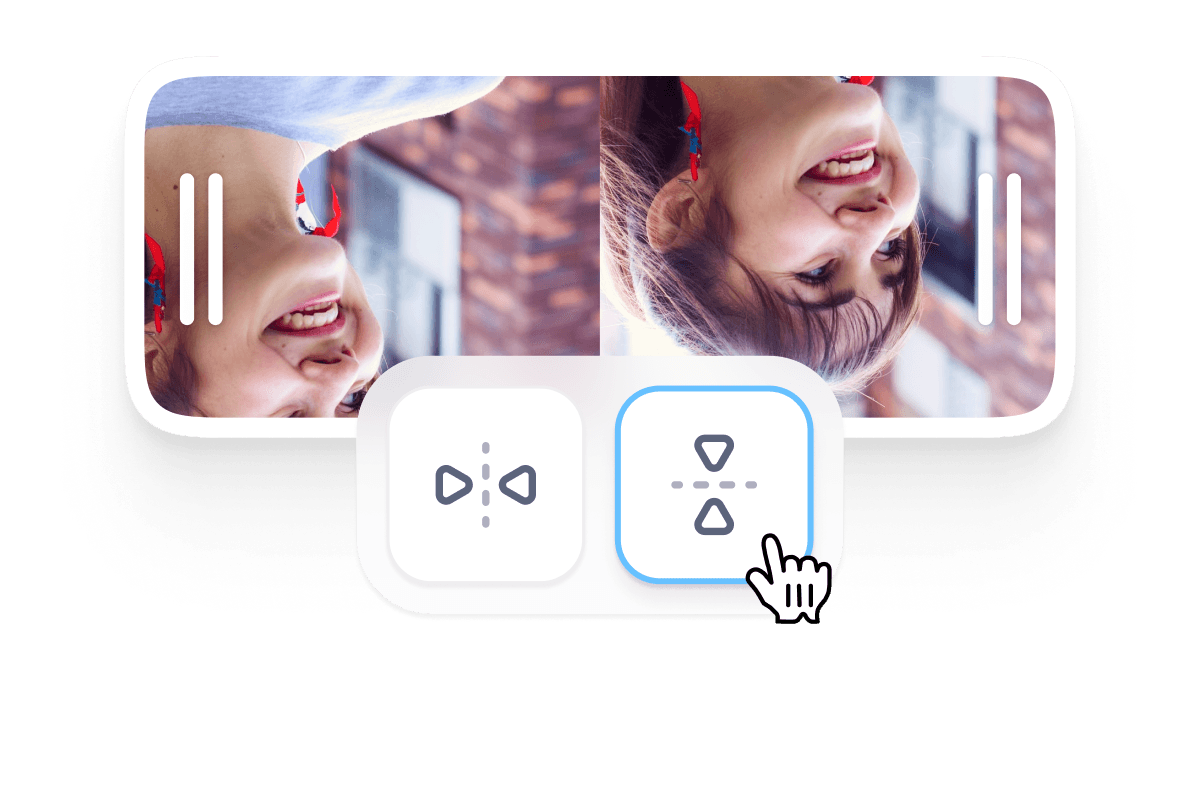
Click on your video on the Timeline below. A menu will appear and you will see the Flip buttons—one to flip it left or right, and one to flip it up or down.
Step 03
Hit Download
Click on Export and download your video in your desired format.
Learn More
‘Flip Video’ Tutorial

Free video effects online
VEED gives you access to various video effects you can apply to your video. Apart from flipping your video, you can add camera filters and effects. Choose from our professionally-designed video overlays and effects. Achieve a nostalgic effect, add light leaks to make your video look more dramatic, and more. You can also add color grading and other camera effects. It only taxkes one click.

Complete video editor package
Use VEED to do all sorts of editing to your video. You can cut, crop, rotate and resize your videos to fit different social media platforms. Split your videos into multiple clips and rearrange them on the timeline with our simple drag and drop feature. Use our video templates and stock videos to create videos for all occasions and purposes. Create business presentation videos, marketing videos, or funny videos for your friends, and so much more!

Create videos for your social media campaigns
If you want to use videos for your social media campaigns, VEED is the best tool to optimize them for every social media site. Use our preset canvas sizes to download videos for YouTube, Facebook, Instagram, and more. Edit the length, thumbnail, audio, resolution, and size to customize your videos for different social media apps.
FAQ
Upload your video to veed and select your video clip on the Timeline. Click on one of the Flip Video buttons—sideways or upside-down. Export your video and share!
Yes, you can! Simple select the Flip Video button that indicates mirroring.
VEED works smoothly on iPhone, Android, and all mobile devices. All you need is your mobile browser.
VEED recognizes and uploads numerous video formats. These include AVI, GIF, M4V, MOV, MP3, MP4, MPE, MPG4, OGG, WEBM, and more!
Absolutely! A video overlay is an image, often subtle or transparent, that can be added to your video. It can be animated or still. It appears on the screen over your video—as the name suggests—to create a different look and feel.
On VEED, you certainly can! VEED is a creator-friendly tool that’s designed to protect the quality of every video it edits.
Loved by creators.
Loved by the Fortune 500
“
With VEED I didn't need 15 tutorials - I jumped straight in and started editing.

Gwenne Wilcox
Founder,
Brand Brainery
“
You can go beyond choppping things. VEED actually makes my videos look great.

Michael Glover
Demand Gen Manager,
ConvertFlow
“
The first four videos i created with VEED got over 40,000 impressions on LinkedIn.

Travis Tyler
Senior Content Producer,
PandaDoc
“
I found VEED at the right time: if you're making UGC ads and not using Eye Contact Correction and Noise Reduction on VEED you're missing out on ROI.

Sebastian Schurgers
Head of Growth Marketing,
Gronda
“
With VEED I didn't need 15 tutorials - I jumped straight in and started editing.
Gwenne Wilcox
Founder,
Brand Brainery
“
You can go beyond choppping things. VEED actually makes my videos look great.
Michael Glover
Demand Gen Manager,
ConvertFlow
“
The first four videos i created with VEED got over 40,000 impressions on LinkedIn.
Travis Tyler
Senior Content Producer,
PandaDoc
“
I found VEED at the right time: if you're making UGC ads and not using Eye Contact Correction and Noise Reduction on VEED you're missing out on ROI.
Sebastian Schurgers
Head of Growth Marketing,
Gronda
“
The first four videos i created with VEED got over 40,000 impressions on LinkedIn.
Travis Tyler
Senior Content Producer,
PandaDoc
“
I found VEED at the right time: if you're making UGC ads and not using Eye Contact Correction and Noise Reduction on VEED you're missing out on ROI.
Sebastian Schurgers
Head of Growth Marketing,
Gronda
“
With VEED I didn't need 15 tutorials - I jumped straight in and started editing.
Gwenne Wilcox
Founder,
Brand Brainery
“
You can go beyond choppping things. VEED actually makes my videos look great.
Michael Glover
Demand Gen Manager,
ConvertFlow
Discover more
More from VEED

9 Easy Ways to Combine Multiple Videos into One
Today, we’ll be going over 9 easy web, mobile, and desktop ways to combine multiple videos into one. Android, iOS, Windows, Mac, and Linux—we’ll cover everything. These programs are easy to use and powerful. Get your video clips ready and let’s start combining videos together!

Subtitling 101: How to Automatically Add and Customize Subtitles with VEED
Everything you need to automatically add, customize, translate, and download subtitles like a pro using VEED.

11 Easy Ways to Add Music to Video [Step-By-Step Guide] in 2026
Not sure where to find music for video whether free or paid? Want to learn how to find it, pick the right song, and then add it to your video content? Then dig in!
Trusted by 1M+ creators
When it comes to amazing videos, all you need is VEED
No credit card required
More than a flip video tool
VEED gives you access to a full suite of video editing tools. And you can use them all online, without installing any app! It is a complete video editor package for all types of creators. On our online video editor, you’ll find a selection of cool features you can use to create stunning videos. Add watermarks, logos, progress bars, emojis, cartoons, background music, subtitles, translations, and so much more!