


Trusted by 1M+ creators
Audiogram Podcast
Online audiogram creator for your podcasts; free
No credit card required
4.6
2,100+ reviews














Online audiogram podcast creator
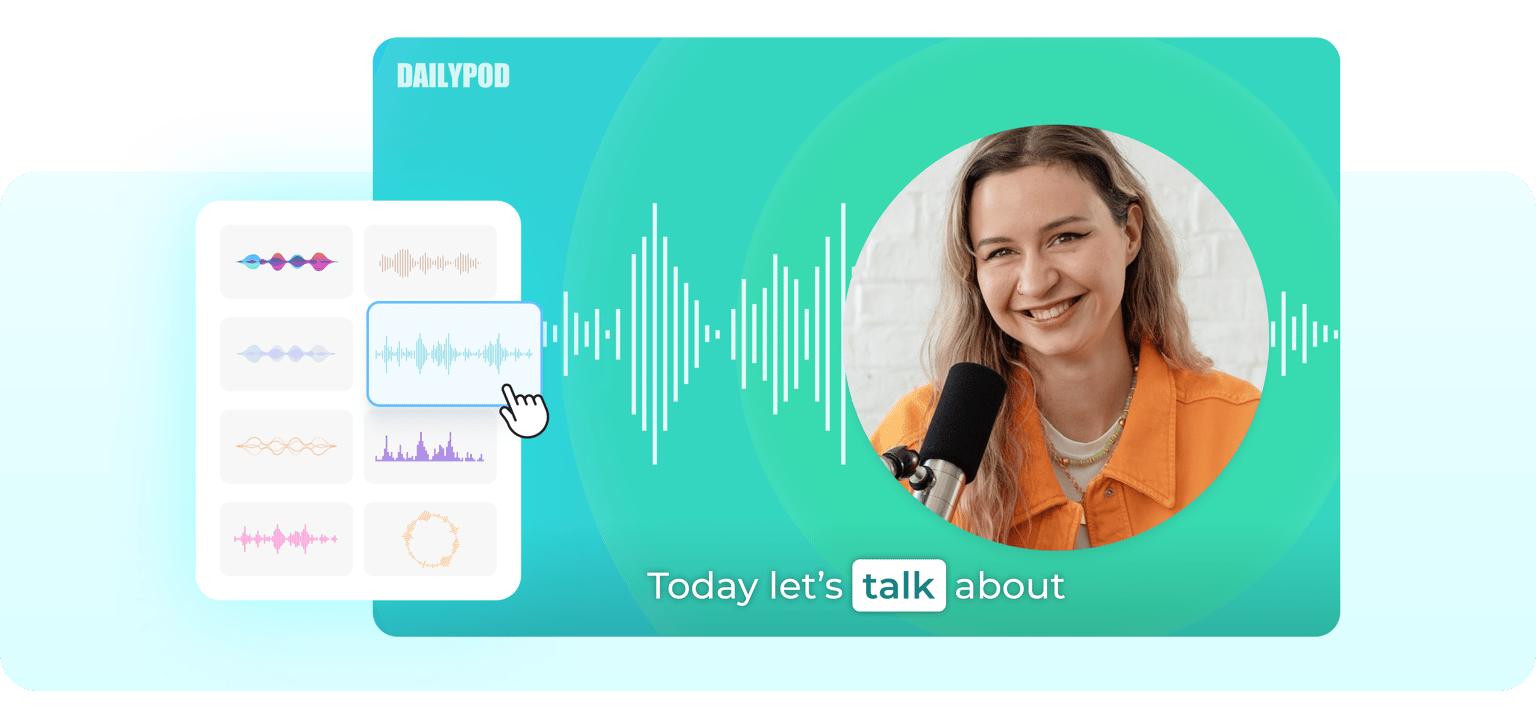
VEED’s audiogram creator lets you add waveforms and animated subtitles to your video podcasts. Automatically add subtitles and add an animation so that the words get highlighted as you or your guests speak. You can also add moving video frames, speech bubbles, and more. Share your video podcast on social media and get more subscribers!
How to create an audiogram for your podcast:
Step 01
Upload or record
Upload your video to VEED. Or start recording using our free webcam recorder. You can drag and drop your files into the Editor.
Step 02
Add subtitles and generate audiogram
Click on Subtitles -> Auto Subtitle. Select ‘Animation’ and choose a style. Watch the words become highlighted in sync with the audio.
Step 03
Export
Click on ‘Export’. Download your video and share!
Learn More
‘Audiogram Podcast’ Tutorial
Free online audiogram maker for your podcasts
Adding animated subtitles or audiograms and waveforms to your videos is completely free on VEED! You can add as many sound waves and audiograms as you want. All you have to do is upload your video, click on Elements, and choose a sound wave. Easy! To add an audiogram, use the Subtitle tool and select an animation style.
Select from a variety of podcast audiogram and visualizer styles
You can select from multiple animation audiogram styles. The same is true for music visualizers. Be creative and do all sorts of customization to your sound wave. You can place it anywhere on the video frame—on the corners, in the middle, or anywhere you want! You can drag and drop it to change its size. Place it horizontally or vertically, select from different colors and shapes. The possibilities are endless!
Audiogram generator and video editor
VEED is packed with all the tools you will ever need in a video editor. Not only can you add audiograms and audio waveforms to your videos but you can also edit them. Rotate, crop, and change the aspect ratio of your video to fit any social media platform. You can also add text, images, audio, and more. There are so many fun elements you can add, and even apply filters and effects!
FAQ
Upload your video to VEED or record one using our free webcam recorder. Add subtitles and select an audiogram or animation style. Download your video and share!
VEED also lets you upload audio files and generate soundwaves from them. Just click on Upload or click on the plus (+) sign on the bottom-right of the editor.
Your animated subtitles or audiograms can run as long as the duration of your video podcasts.
VEED is free to use for everyone! There are some features that require a premium subscription but most of our tools—including our audiogram creator—are free.
Loved by creators.
Loved by the Fortune 500
“
With VEED I didn't need 15 tutorials - I jumped straight in and started editing.

Gwenne Wilcox
Founder,
Brand Brainery
“
You can go beyond choppping things. VEED actually makes my videos look great.

Michael Glover
Demand Gen Manager,
ConvertFlow
“
The first four videos i created with VEED got over 40,000 impressions on LinkedIn.

Travis Tyler
Senior Content Producer,
PandaDoc
“
I found VEED at the right time: if you're making UGC ads and not using Eye Contact Correction and Noise Reduction on VEED you're missing out on ROI.

Sebastian Schurgers
Head of Growth Marketing,
Gronda
“
With VEED I didn't need 15 tutorials - I jumped straight in and started editing.
Gwenne Wilcox
Founder,
Brand Brainery
“
You can go beyond choppping things. VEED actually makes my videos look great.
Michael Glover
Demand Gen Manager,
ConvertFlow
“
The first four videos i created with VEED got over 40,000 impressions on LinkedIn.
Travis Tyler
Senior Content Producer,
PandaDoc
“
I found VEED at the right time: if you're making UGC ads and not using Eye Contact Correction and Noise Reduction on VEED you're missing out on ROI.
Sebastian Schurgers
Head of Growth Marketing,
Gronda
“
The first four videos i created with VEED got over 40,000 impressions on LinkedIn.
Travis Tyler
Senior Content Producer,
PandaDoc
“
I found VEED at the right time: if you're making UGC ads and not using Eye Contact Correction and Noise Reduction on VEED you're missing out on ROI.
Sebastian Schurgers
Head of Growth Marketing,
Gronda
“
With VEED I didn't need 15 tutorials - I jumped straight in and started editing.
Gwenne Wilcox
Founder,
Brand Brainery
“
You can go beyond choppping things. VEED actually makes my videos look great.
Michael Glover
Demand Gen Manager,
ConvertFlow
Discover more
Trusted by 1M+ creators
When it comes to amazing videos, all you need is VEED
No credit card required
More than an audiogram podcast creator
VEED is so much more than an audiogram podcast generator. What’s great about VEED is that it gives you absolute freedom to be creative in editing your videos. Create professional-looking videos that you can share on Facebook, Instagram, TikTok, and other social media sites—in just a few clicks. You don’t need to have experience in video editing. Add images, text, and other elements in just one click. Try VEED today and start exploring our powerful tools for free!