


Trusted by 1M+ creators
Animated Subtitles
Create animated subtitles for TikTok, Reels, and YouTube Shorts. Free to try, no install required
No credit card required
4.6
2,100+ reviews














Create animated subtitles that grab attention
Add animated subtitles to any video with VEED's AI subtitle generator. Choose from multiple animation styles — Box Highlight, Karaoke, Impact Pop, Color Highlight, and more. Customize font, color, and size to match your brand. No install required. Free to try online.
Built for short-form content, VEED's animated subtitle tool helps you stand out on TikTok, Reels, and YouTube Shorts. Upload your video, auto-generate subtitles with AI, apply an animation style, and export. Create a scroll-stopping video in minutes.
How to add animated subtitles to a video:
Step 01
Upload your video
Upload your video file to the editor. MP4, MOV, WebM, and other major formats are supported. Works with vertical short-form content and landscape videos.
Step 02
Generate and animate subtitles
Click Subtitles in the left menu and select Auto Subtitles. VEED's AI transcribes your audio automatically. Choose an animation style, then customize font, color, and size.
Step 03
Export and share
Click Done and turn on the burn subtitles option before you export. Your video downloads with animated captions permanently embedded, ready to upload for TikTok, Instagram Reels, and YouTube Shorts.
Learn More
Learn how to create dynamic subtitles with VEED:
Animation styles built for short-form video
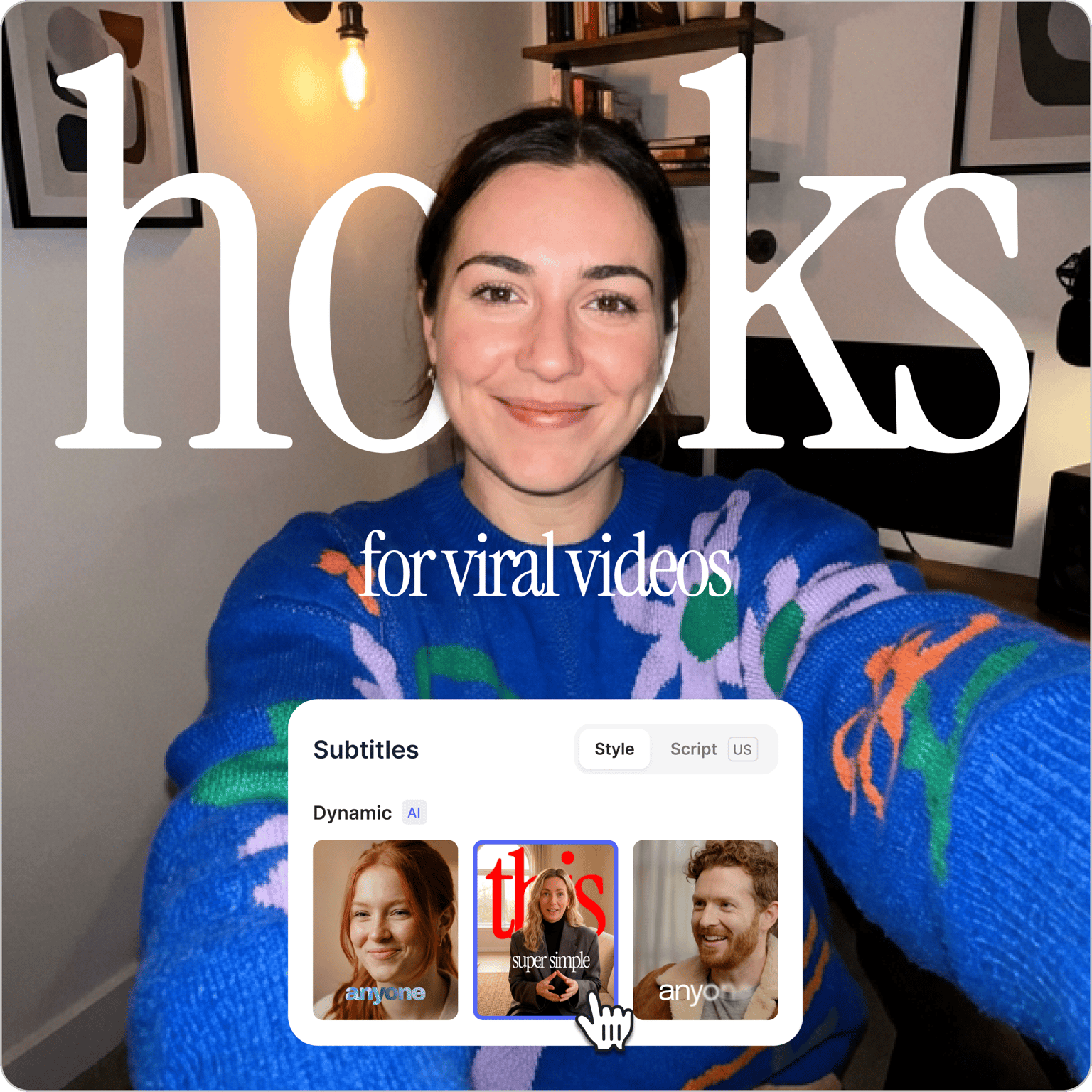
Pick a preset style and your captions are ready to customize in seconds. No frame-by-frame work, no manual timing. Choose from dynamic subtitles like Glide, Pulse, Handwritten, Whisper, and Fusion. Turn on AI Emphasis, and VEED automatically identifies the most impactful words and highlights them as the presenter speaks. Want more control? Adjust any highlight, swap the style, or fine-tune animations before you export.
Captions that look like your brand, not a template
Every animation style is fully customizable. Adjust font, color, and size so your animated subtitles look uniquely yours. Paid plans include access to VEED's Brand Kit, where you can save custom fonts and colors. No restyling from scratch each time. Add stickers, GIFs, or CTAs alongside your subtitles for extra engagement. Want to reach new audiences? Use the video translator to translate your captions into 125+ languages.
Turn raw footage into post-ready videos in minutes
VEED brings your whole video creation workflow into one place. Generate AI captions, choose animation presets, and fine-tune the style. Trim clips, resize videos to vertical for Reels and Shorts, remove background noise, and apply your brand assets. No switching tools, no re-importing between apps.
FAQ
The subtitle generator is free to start. Upgrade to a paid plan to subtitle longer videos and download subtitle files. Check our pricing page for more information.
VEED offers a range of animation styles, including Box Highlight, Karaoke, Impact, Impact Pop, Reveal, Float In, Scale In, Drop In, Colour Highlight, Rotate & Flip, Rotate & Highlight, Stomp, and more. Each style is customizable; adjust font, color, and size to match your brand or video aesthetic.
- Upload your TikTok video to VEED.
- Auto-generate subtitles with AI, then apply an animation style.
- Export with captions burned in.
Your video will be ready to upload to TikTok, Instagram Reels, or YouTube Shorts.
- Regular subtitles are static text that appears and disappears as the speaker talks.
- Animated subtitles add motion. Words highlight, slide in, scale up, or sync with speech timing. This makes them more engaging for social video viewers scrolling without sound. Animated captions also let you emphasize key words, which helps your message land even on a quick scroll.
- Animated subtitles refer to any caption style that adds motion to text, including highlights, slides, fades, and word-level effects.
- Dynamic subtitles are a specific VEED feature that uses AI to automatically identify and emphasize the most important words in a video. The dynamic subtitles pop, pulse, or glide in sync with the speech.
Both are available in VEED's subtitle editor.
Loved by creators.
Loved by the Fortune 500
“
With VEED I didn't need 15 tutorials - I jumped straight in and started editing.

Gwenne Wilcox
Founder,
Brand Brainery
“
You can go beyond choppping things. VEED actually makes my videos look great.

Michael Glover
Demand Gen Manager,
ConvertFlow
“
The first four videos i created with VEED got over 40,000 impressions on LinkedIn.

Travis Tyler
Senior Content Producer,
PandaDoc
“
I found VEED at the right time: if you're making UGC ads and not using Eye Contact Correction and Noise Reduction on VEED you're missing out on ROI.

Sebastian Schurgers
Head of Growth Marketing,
Gronda
“
With VEED I didn't need 15 tutorials - I jumped straight in and started editing.
Gwenne Wilcox
Founder,
Brand Brainery
“
You can go beyond choppping things. VEED actually makes my videos look great.
Michael Glover
Demand Gen Manager,
ConvertFlow
“
The first four videos i created with VEED got over 40,000 impressions on LinkedIn.
Travis Tyler
Senior Content Producer,
PandaDoc
“
I found VEED at the right time: if you're making UGC ads and not using Eye Contact Correction and Noise Reduction on VEED you're missing out on ROI.
Sebastian Schurgers
Head of Growth Marketing,
Gronda
“
The first four videos i created with VEED got over 40,000 impressions on LinkedIn.
Travis Tyler
Senior Content Producer,
PandaDoc
“
I found VEED at the right time: if you're making UGC ads and not using Eye Contact Correction and Noise Reduction on VEED you're missing out on ROI.
Sebastian Schurgers
Head of Growth Marketing,
Gronda
“
With VEED I didn't need 15 tutorials - I jumped straight in and started editing.
Gwenne Wilcox
Founder,
Brand Brainery
“
You can go beyond choppping things. VEED actually makes my videos look great.
Michael Glover
Demand Gen Manager,
ConvertFlow
Discover more
Explore related tools
More from VEED

Subtitling 101: How to Automatically Add and Customize Subtitles with VEED
Everything you need to automatically add, customize, translate, and download subtitles like a pro using VEED.
12 Best Subtitle Fonts for Video Editing (Free and Paid Options)
Want videos that are more engaging because they're easier to follow along? Here's 12 of the best free and paid subtitle fonts for better video content.

How to Hardcode Subtitles with VEED
A lot of social media platforms don't actually allow you to upload SRT files with your videos. This is where hard coded subtitles comes in.
Trusted by 1M+ creators
When it comes to amazing videos, all you need is VEED
No credit card required
More than animated subtitles
VEED is an AI video creation platform that turns your raw footage into post-ready videos in minutes. Enhance your videos to stand out on busy feeds. Remove and replace your background. Create cinematic AI transitions between scenes to keep viewers hooked. And make talking head content with our Fabric 1.0 lip sync video model. No exporting between apps. Generate, enhance, and export videos all in one place. Sign up now to get started.