


Trusted by 1M+ creators
MP4 Editor
Powerful tools to enhance your videos online: VEED’s MP4 editor
No credit card required

4.6
2,100+ reviews














Create stunning masterpieces with VEED’s mp4 editor!
VEED’s professional MP4 editor lets you transform your videos into stunning masterpieces. From basic edits such as trimming and cropping to more advanced features such as adding special effects and merging multiple clips, our powerful video editing software provides you with everything you need to create professional-looking videos. Optimize your videos for your social media marketing campaigns. You can also add subtitles, create videos from photos using our photo video maker, and more! Plus, now you can start with a video template so you don’t have to create videos from scratch.
Things you can do with our mp4 editor:
Step 01
Crop, trim, resize, rotate, and adjust more settings
Adjust your video’s settings to fit any social media or video-sharing platform. You can split videos into several clips, trim, resize, and rotate them. You can also adjust your video’s settings to brighten your video, add filters and effects, and more!
Step 02
Add images, music, sound effects, visualizers, and animations
You can add photos, stickers, and even your branding assets (available in premium) and animate them. Select from our royalty free stock video and audio clips. Be creative and maximize our full range of tools!
Step 03
Make your videos accessible to all
Add subtitles and captions to ensure that your video is accessible to a wider audience. You can even translate your subtitles to multiple languages and make your video suitable to international viewers.
Learn More
Here are more things you can do with VEED’s mp4 editor:
Online mp4 editor
You can edit your MP4 files online - without downloading any video editing software. VEED works right in your browser. Access your dashboard from anywhere!
Cut video
You can split your video quickly on our intuitive video timeline. Cut, trim, split your video into parts, and remove unwanted sections of video clips.
Crop and rotate video
You can crop your MP4 video files online. Just click on the video on the canvas and drag the corners until it’s the perfect size and orientation.
Add and edit audio
You can remove audio from your video with a single click. Adjust volume, add music, voice over, sound effects, and more!
Video effects
Add visual effects to your video. Adjust the brightness, contrast, video color grading, and more.
More features
You can add text to video, add images to your video (eg. logos and watermarks), add subtitles and more!
FAQ
Absolutely! Upload your MP4 file to VEED, make any edits you wish (trim, crop, rotate, merge, join videos, add text, add music, and more). Export your video in the highest quality!
Most of VEED’s video editing tools are free to use. Some features require a subscription, such as our one-click background noise remover. But a lot of our free tools allow you to create stunning-looking videos without even creating an account.
Whether you’re using Windows, Mac, or Linux (or even on your mobile device—an iPhone, iPad, or Android), you can use VEED to edit your videos online.
Upload your MP4 file to VEED, then on the timeline, drag the ends of your video clip. You can use the ‘Split’ button to split your video at any point. When you’re done, hit ‘Export’ and download your new, shortened MP4 video.
Loved by creators.
Loved by the Fortune 500
“
With VEED I didn't need 15 tutorials - I jumped straight in and started editing.

Gwenne Wilcox
Founder,
Brand Brainery
“
You can go beyond choppping things. VEED actually makes my videos look great.

Michael Glover
Demand Gen Manager,
ConvertFlow
“
The first four videos i created with VEED got over 40,000 impressions on LinkedIn.

Travis Tyler
Senior Content Producer,
PandaDoc
“
I found VEED at the right time: if you're making UGC ads and not using Eye Contact Correction and Noise Reduction on VEED you're missing out on ROI.

Sebastian Schurgers
Head of Growth Marketing,
Gronda
“
With VEED I didn't need 15 tutorials - I jumped straight in and started editing.
Gwenne Wilcox
Founder,
Brand Brainery
“
You can go beyond choppping things. VEED actually makes my videos look great.
Michael Glover
Demand Gen Manager,
ConvertFlow
“
The first four videos i created with VEED got over 40,000 impressions on LinkedIn.
Travis Tyler
Senior Content Producer,
PandaDoc
“
I found VEED at the right time: if you're making UGC ads and not using Eye Contact Correction and Noise Reduction on VEED you're missing out on ROI.
Sebastian Schurgers
Head of Growth Marketing,
Gronda
“
The first four videos i created with VEED got over 40,000 impressions on LinkedIn.
Travis Tyler
Senior Content Producer,
PandaDoc
“
I found VEED at the right time: if you're making UGC ads and not using Eye Contact Correction and Noise Reduction on VEED you're missing out on ROI.
Sebastian Schurgers
Head of Growth Marketing,
Gronda
“
With VEED I didn't need 15 tutorials - I jumped straight in and started editing.
Gwenne Wilcox
Founder,
Brand Brainery
“
You can go beyond choppping things. VEED actually makes my videos look great.
Michael Glover
Demand Gen Manager,
ConvertFlow
Discover more
More from VEED

How to Rotate a Video (6 Quick & Easy Ways)
How to easily rotate a video whether you're on your desktop, mobile, or on your web browser.

MP4 Editor: How To Edit MP4 Files Fast
Want an easy-to-use, yet powerful, MP4 editor?
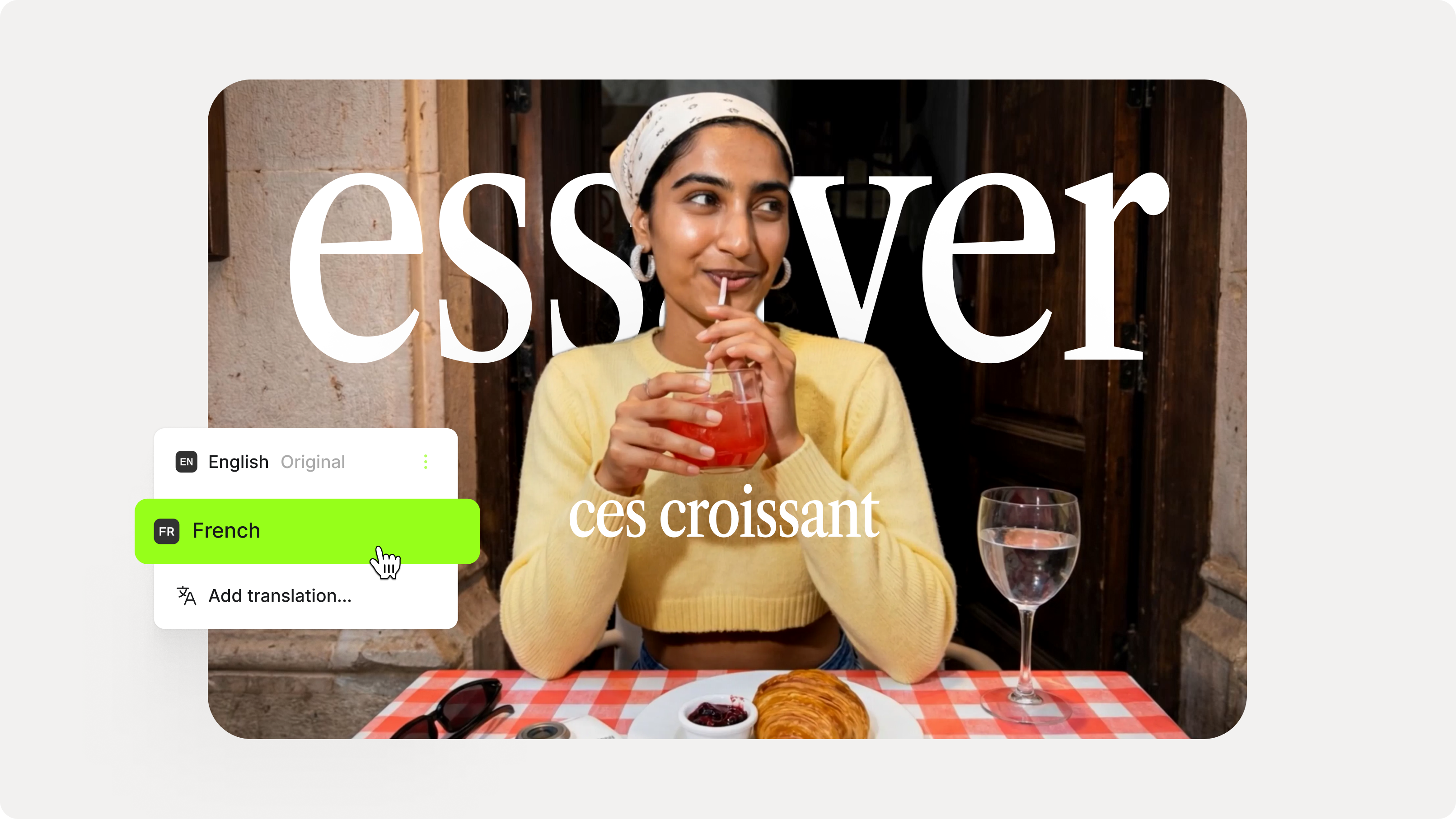
How to Add Translation Subtitles to a Video (Step-by-Step Guide)
A step-by-step guide to adding translation subtitles to any video using VEED. Covers auto-subtitle generation, AI translation into 125+ languages, customization, and export.
Trusted by 1M+ creators
When it comes to amazing videos, all you need is VEED
No credit card required
More than an online MP4 video editor!
There’s so much more you can do with VEED than simply edit your MP4 files. For one thing, VEED supports all popular video file formats - AVI, MOV, WEBM, WMV, and more. You can add text, sound effects, and logos to your videos. Use our full suite of tools to make your videos look amazing and do it all from your browser. Try VEED today and start sharing your amazing stories through high-quality videos that are worthy to be seen by the world!