


Trusted by 1M+ creators
Transcript-Based Video Editing
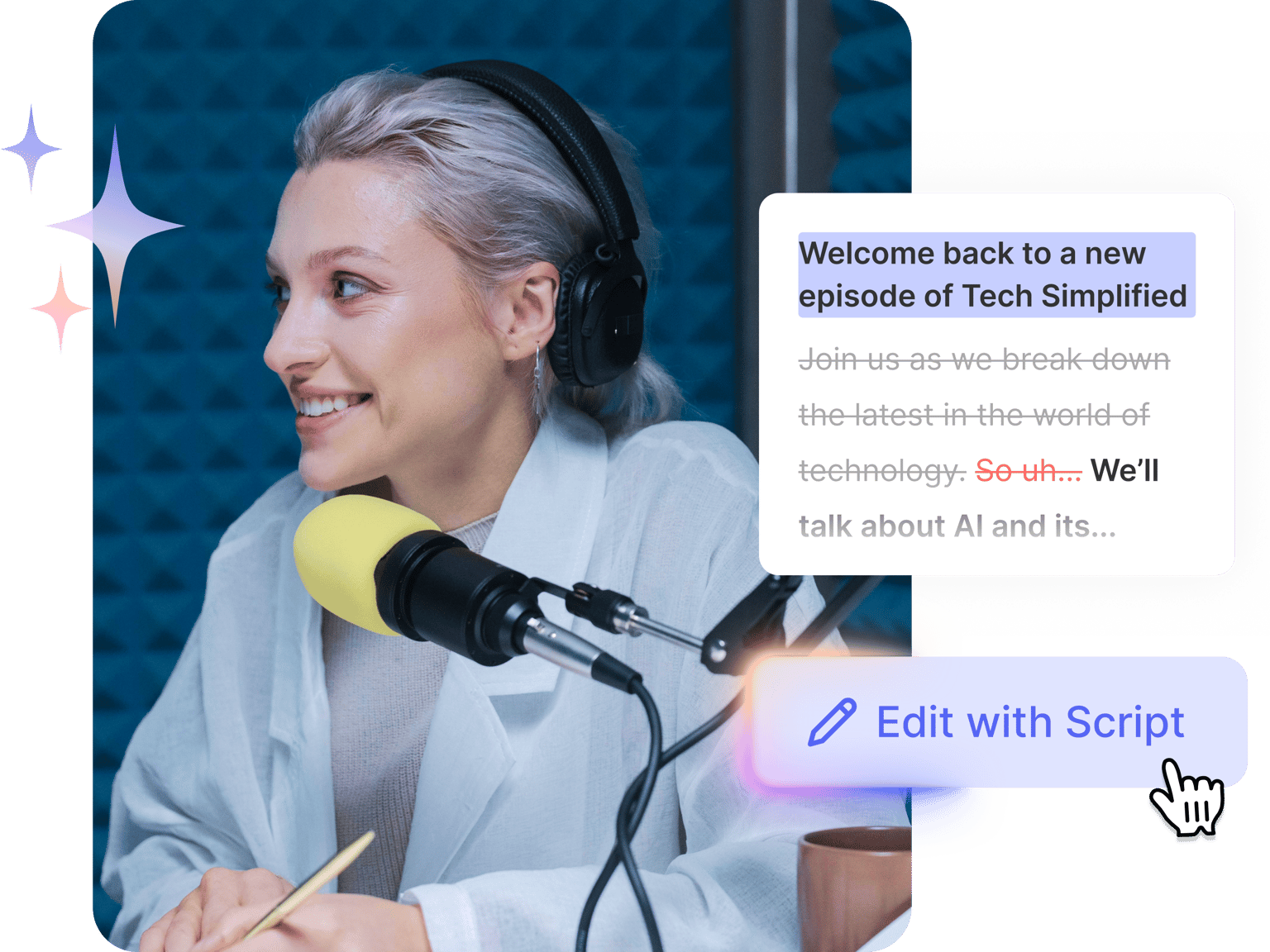
Edit videos by editing transcripts. Trim and polish podcasts and interviews without scrubbing through hours of footage
No credit card required
4.6
2,100+ reviews














Cut video editing time from hours to minutes
Tired of dragging your cursor back and forth and finding the exact moment to cut? Timeline editing feels like looking for a needle in a haystack—scrubbing, zooming, playing, stopping, and starting over. Transcript-based video editing fixes this headache. Edit your video through its transcript. Modify the transcript, and your video will update right away. What used to take hours now takes minutes.
You can easily remove all those "ums" and awkward pauses, move sections around, or trim content with simple transcript editing. Turn long podcasts, interviews, and tutorials into polished content. Or highlight excerpts and export them for sharing on social media. VEED's transcript-based video editor helps you work faster. Try it now for free.
How to edit videos with scripts:
Step 01
Upload video
Add your video with speech and click the ‘Edit with Script’ button above the timeline. Click the auto-transcribe button to create a text version of your footage.
Step 02
Edit through text
Edit your video by modifying the transcript: delete unwanted sections or copy and paste to reorder scenes. Refine your message as easily as editing a document.
Step 03
Enhance and export
Click the settings to remove silences (short, long, or custom duration) and filler words with one click. Add finishing touches like text, your logo, or background music. Then, click ‘Done’ to export your polished video.
Learn More
Watch this auto video editor walkthrough:
Edit videos like you’re editing text
No more dragging clips on a timeline. VEED turns your transcript into your editing workspace. Just cut or move words, and your video updates instantly. It’s the easiest way to shape your message. Perfect for creators who want control without the learning curve of traditional editing software.
Made for social media creators
VEED combines transcript editing with tools built for social platforms, from Instagram Reels to YouTube Shorts. Easily resize videos, add AI captions, and apply eye-catching effects. Customize subtitles for sound-off viewing, and keep every video on brand with saved logos, fonts, and colors.
Turn long videos into shareable clips
Trimming footage doesn’t have to take hours. VEED’s AI clip maker automatically finds your most interesting segments and turns them into short clips ready to post. It’s the fastest way to repurpose long videos. Keep up with packed content calendars and create more in less time. Turn that hour-long webinar recording into a week’s worth of content.
FAQ
It's editing videos by working with text instead of video clips. Modify the transcript to cut sections or rearrange content. Remove silences and filler words with just a click. Transcript-based editing is easier than traditional video editing, where you’d need to scrub through footage and make precise cuts on a timeline.
Yes. VEED's auto-transcription tool is free to try. Upload your video, generate subtitles, and export the video with a watermark. Paid plans unlock higher transcription limits, HD and watermark-free exports, and more AI tools. You can check our pricing page to see our available plans and features.
Yes, paid users can download transcripts in TXT, VTT, or SRT format. Transcripts are useful for repurposing content into blog posts or adding to a company’s knowledge base.
Absolutely. Our AI clip maker automatically identifies and extracts highlights from interviews, podcasts, webinars, and other long-form videos. The tool generates social media-ready clips with subtitles. No need to manually select the best quotes from your footage.
Loved by creators.
Loved by the Fortune 500
“
With VEED I didn't need 15 tutorials - I jumped straight in and started editing.

Gwenne Wilcox
Founder,
Brand Brainery
“
You can go beyond choppping things. VEED actually makes my videos look great.

Michael Glover
Demand Gen Manager,
ConvertFlow
“
The first four videos i created with VEED got over 40,000 impressions on LinkedIn.

Travis Tyler
Senior Content Producer,
PandaDoc
“
I found VEED at the right time: if you're making UGC ads and not using Eye Contact Correction and Noise Reduction on VEED you're missing out on ROI.

Sebastian Schurgers
Head of Growth Marketing,
Gronda
“
With VEED I didn't need 15 tutorials - I jumped straight in and started editing.
Gwenne Wilcox
Founder,
Brand Brainery
“
You can go beyond choppping things. VEED actually makes my videos look great.
Michael Glover
Demand Gen Manager,
ConvertFlow
“
The first four videos i created with VEED got over 40,000 impressions on LinkedIn.
Travis Tyler
Senior Content Producer,
PandaDoc
“
I found VEED at the right time: if you're making UGC ads and not using Eye Contact Correction and Noise Reduction on VEED you're missing out on ROI.
Sebastian Schurgers
Head of Growth Marketing,
Gronda
“
The first four videos i created with VEED got over 40,000 impressions on LinkedIn.
Travis Tyler
Senior Content Producer,
PandaDoc
“
I found VEED at the right time: if you're making UGC ads and not using Eye Contact Correction and Noise Reduction on VEED you're missing out on ROI.
Sebastian Schurgers
Head of Growth Marketing,
Gronda
“
With VEED I didn't need 15 tutorials - I jumped straight in and started editing.
Gwenne Wilcox
Founder,
Brand Brainery
“
You can go beyond choppping things. VEED actually makes my videos look great.
Michael Glover
Demand Gen Manager,
ConvertFlow
Discover more
Explore related tools
More from VEED

VEED vs. Descript: Which AI-Powered Editor Reigns Supreme?
VEED vs. Descript: Which AI-powered video editor should you pick? Check out our in-depth comparison to make a well-informed choice.

Podcasting 101: Everything you need to name, ideate, record, edit, and promote a podcast
A 5-step guide to start a podcast from generating a name to recording to promoting it.

VEED Clips: Instant Repurposing for Social Media, Powered by Sieve
Built by VEED and powered by Sieve, Clips uses AI to create engaging video clips from long-form content. Learn more about this partnership in this post.
Trusted by 1M+ creators
When it comes to amazing videos, all you need is VEED
No credit card required
More than transcript-based video editing
VEED’s AI-powered video editor lets anyone make professional videos in just a few clicks. No need to navigate complex software; editing is as easy as drag and drop. Besides transcript editing, add subtitles and translate videos automatically. Remove background noise in one click. Plus, dub videos in many languages using the original voice. Ready to speed up your workflow? Create your first video now with VEED. Get started for free.