


Trusted by 1M+ creators
Podcast Audio Enhancer
Use VEED’s AI podcast audio enhancer to achieve studio-quality sound. One-click sound improver for your recordings
No credit card required
4.6
2,100+ reviews














Record your podcast and enhance the audio with AI
Enhance your podcast audio quality in one click. Achieve crystal-clear sound in your recordings. VEED’s AI can remove unwanted sounds like wind, static, feedback, and rain. If your recording software and mic pick up background noise, VEED’s noise reduction tool can help. Try it for free.
VEED offers all the podcast audio production tools you need. Trim and rearrange audio recordings, add background music and sound effects, and convert text to voiceovers. Instantly generate narrations and spoken audio with realistic AI voices. Translate spoken audio into multiple languages with the voice dubber.
How to use the AI podcast sound enhancer:
Step 01
Upload or record
Upload your podcast audio or video. Or start recording using our online voice recorder.
Step 02
Enhance podcast audio
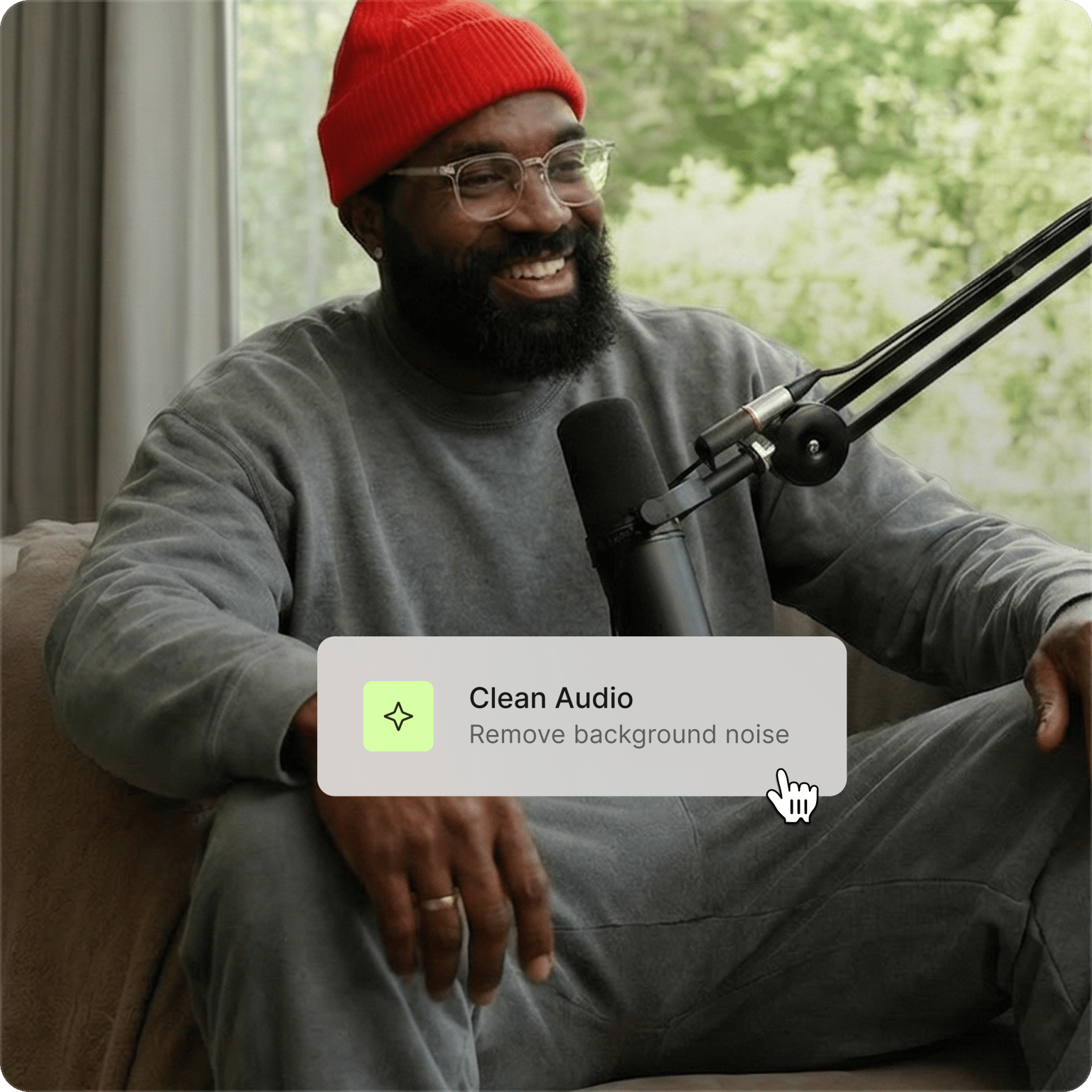
Click 'Clean audio' under AI tools. VEED automatically removes background noise, normalizes volume, and enhances speech and dialogue clarity.
Step 03
Edit and export
Adjust volume levels, toggle fade audio in/out for smooth transitions, or layer in music from the stock library. Download as MP3 for audio-only or MP4 for video projects.
Learn More
Learn more about our AI podcast enhancer:
Studio-quality recordings: AI podcast audio enhancer
Make your podcast audio sound crystal clear with VEED's AI — even without a professional studio setup. Enhance audio in podcast recordings, voiceovers, and talking head content. The AI normalizes volume and enhances speech so your voice comes through clearly.
AI podcast enhancer with an easy-to-use audio editor
Enhance and edit your podcast recordings with easy-to-use audio editing tools. With our intuitive drag-and-drop interface, you can cut, split, rearrange your audio clips, and convert text to speech. Add background music, sound effects, instant voiceovers, and more.
Podcast audio enhancement powered by Dolby
VEED works with Dolby to bring you the highest-quality audio enhancement. No complex setup, no steep learning curve. Just upload your podcast and click ‘Clean Audio.’ A practical alternative to software like Adobe Audition or Premiere Pro that have a higher learning curve.
FAQ
Clean Audio is free to try. Upgrade to a Pro plan for unlimited access. Visit our pricing page for more details.
Yes. VEED's AI podcast enhancer removes background noise, normalizes volume, and enhances speech — giving your podcast a cleaner, more professional sound.
Click 'Clean audio' under AI tools to enhance speech and dialogue clarity, remove background noise, and normalize volume levels.
You only need a short music clip for a podcast intro. 5 to 10 seconds is enough to set the tone before your voice comes in. Choose a track that matches your podcast's mood, whether that's upbeat, calm, or dramatic. VEED's royalty-free stock library has tracks across moods and genres so you can find the right fit. Keep the music volume low enough that it doesn't compete with your voice.
VEED allows for podcast audio editing on the go. Just access the editor on your mobile browser. VEED works on all mobile browsers, including Chrome, Firefox, and Safari.
Loved by creators.
Loved by the Fortune 500
“
With VEED I didn't need 15 tutorials - I jumped straight in and started editing.

Gwenne Wilcox
Founder,
Brand Brainery
“
You can go beyond choppping things. VEED actually makes my videos look great.

Michael Glover
Demand Gen Manager,
ConvertFlow
“
The first four videos i created with VEED got over 40,000 impressions on LinkedIn.

Travis Tyler
Senior Content Producer,
PandaDoc
“
I found VEED at the right time: if you're making UGC ads and not using Eye Contact Correction and Noise Reduction on VEED you're missing out on ROI.

Sebastian Schurgers
Head of Growth Marketing,
Gronda
“
With VEED I didn't need 15 tutorials - I jumped straight in and started editing.
Gwenne Wilcox
Founder,
Brand Brainery
“
You can go beyond choppping things. VEED actually makes my videos look great.
Michael Glover
Demand Gen Manager,
ConvertFlow
“
The first four videos i created with VEED got over 40,000 impressions on LinkedIn.
Travis Tyler
Senior Content Producer,
PandaDoc
“
I found VEED at the right time: if you're making UGC ads and not using Eye Contact Correction and Noise Reduction on VEED you're missing out on ROI.
Sebastian Schurgers
Head of Growth Marketing,
Gronda
“
The first four videos i created with VEED got over 40,000 impressions on LinkedIn.
Travis Tyler
Senior Content Producer,
PandaDoc
“
I found VEED at the right time: if you're making UGC ads and not using Eye Contact Correction and Noise Reduction on VEED you're missing out on ROI.
Sebastian Schurgers
Head of Growth Marketing,
Gronda
“
With VEED I didn't need 15 tutorials - I jumped straight in and started editing.
Gwenne Wilcox
Founder,
Brand Brainery
“
You can go beyond choppping things. VEED actually makes my videos look great.
Michael Glover
Demand Gen Manager,
ConvertFlow
Discover more
Explore related tools
More from VEED

Podcasting 101: Everything you need to name, ideate, record, edit, and promote a podcast
A 5-step guide to start a podcast from generating a name to recording to promoting it.
How to Make a YouTube Short (+ Best Practices to Help You Go Viral)
Learn how to make a YouTube short step-by-step and dive into our tried-and-tested tactics that helped us go viral in this guide.
80+ Trending Hashtags for YouTube Shorts to Skyrocket Your Reach
We carefully picked the best hashtags for YouTube Shorts that can effectively bridge the gap between your content and your potential audience. Read on to learn more.
Trusted by 1M+ creators
When it comes to amazing videos, all you need is VEED
No credit card required
More than a podcast audio enhancer
Great podcast audio is just the beginning. VEED is an AI video creation platform where you can generate videos with AI, enhance audio, add captions for accessibility, and repurpose content for any platform. Turn your podcast into a video using our editor with a built-in stock library. Or generate custom visuals with the best AI models in the AI playground. Create, edit, and enhance your content all in one place. Sign up for VEED now.