


Trusted by 1M+ creators
Cloud Audio Recorder
The easiest way to screen record on Windows and Mac browsers. Record your audio, video, and screen on the cloud
No credit card required
4.6
2,100+ reviews














Powerful cloud audio recorder with integrated tools
Record your voice, screen, and webcam using VEED’s powerful cloud audio recording app. Save your voice recordings and access them anytime on your dashboard, powered by our super-fast cloud storage. Edit your audio using our professional video editing software, where you can remove background noise, pre-record your live-streaming episodes, and more.
How to record your voice, webcam, or screen:
Step 01
Select a layout
Select a layout (you may need to click on ‘Allow’ permission to access your screen, camera, or microphone). You can record just your screen, your webcam, or both simultaneously!
Step 02
Start recording
Click the red button to start recording! You'll see a countdown before it starts. Don't worry if you mess up. You have unlimited retakes.
Step 03
Review, edit, and export
Playback your recording to review it, click ‘Share’ to share with friends and colleagues, or ‘Edit’ to edit your video or audio in our video editor.
Learn More
Learn more about our cloud audio recorder:
Customizable layouts for audio and screen recording
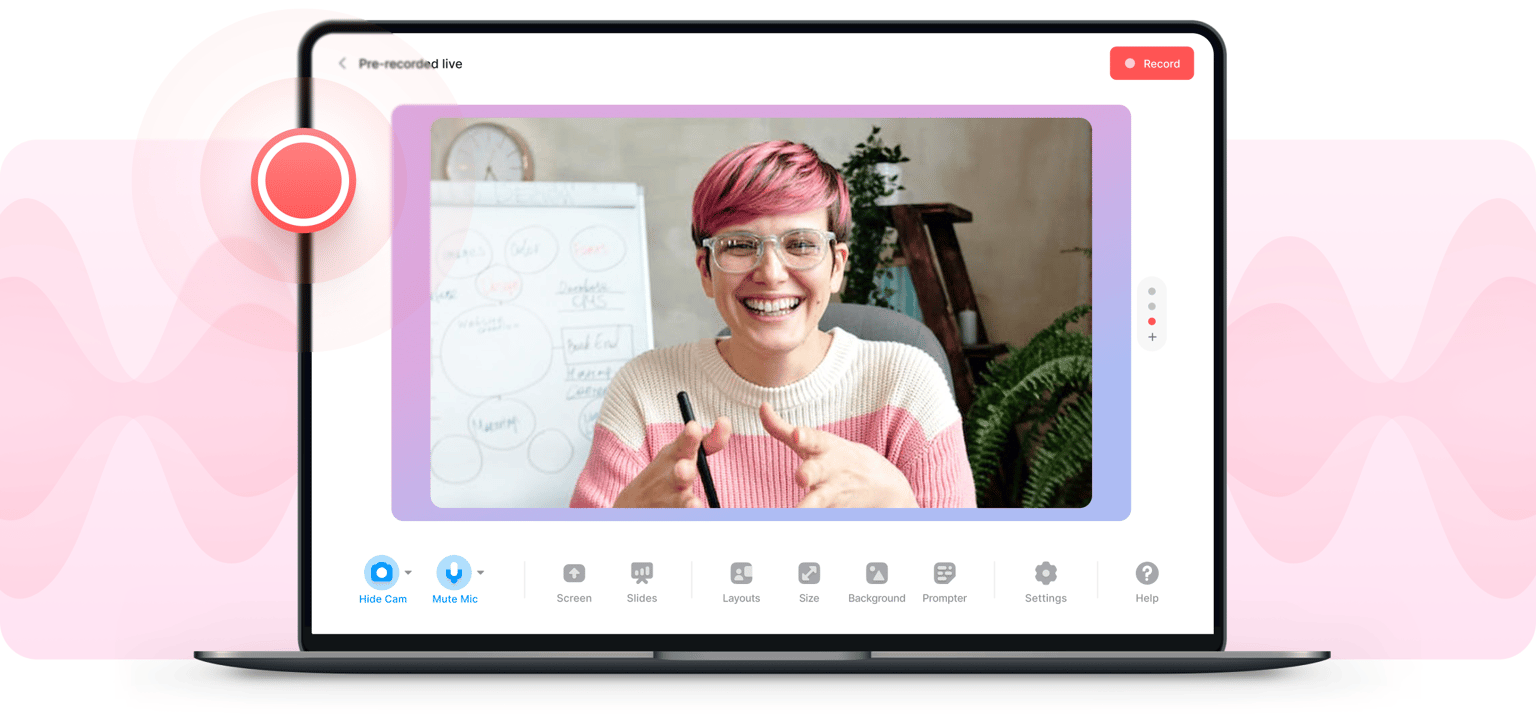
You can choose from different layouts that would best suit your content. VEED’s voice and screen capture app lets you simultaneously record your screen and mic. You can also add yourself to the scene by recording your webcam. Customize the size and location of your camera feed, choose a background and more!
One-click transcriptions for your recordings
After recording, you can convert your audio to text and download a transcription in one click. Click on Edit and head to Subtitles, where you will find the Auto Transcribe button. VEED will generate your transcript. Download your transcription; select ‘TXT’ format, and share! Downloading transcripts is a feature available to our premium subscribers.
Create pre-recorded live streams
Use VEED to record your audio and capture your computer screen to create pre-recorded live streams that you can post on multiple social media platforms—perfect for gaming walkthroughs and tutorial videos. You don’t need to use a third-party app to edit your content. Do it all online, access your recordings anywhere, and share your stories with the world!
FAQ
- Click on Start Recording and allow permissions
- Select your layout and customize the look and feel of your video
- Edit, download, and share!
While you can’t save your recordings straight to Google Drive using VEED, you can easily download your audio recording and upload it to Google Drive in your preferred audio format.
There are many free and paid online voice recording apps. However, if you want a complete voice and video editor, VEED offers the most value for your money. You can record for free, but you need to upgrade your account if you want to access features like Clean Audio and Transcriptions. You can check our pricing page for more info.
VEED is compatible with Android, Apple, Mac, Linux, and Windows devices. You can record from your desktop, phone, or tablet!
Loved by creators.
Loved by the Fortune 500
“
With VEED I didn't need 15 tutorials - I jumped straight in and started editing.

Gwenne Wilcox
Founder,
Brand Brainery
“
You can go beyond choppping things. VEED actually makes my videos look great.

Michael Glover
Demand Gen Manager,
ConvertFlow
“
The first four videos i created with VEED got over 40,000 impressions on LinkedIn.

Travis Tyler
Senior Content Producer,
PandaDoc
“
I found VEED at the right time: if you're making UGC ads and not using Eye Contact Correction and Noise Reduction on VEED you're missing out on ROI.

Sebastian Schurgers
Head of Growth Marketing,
Gronda
“
With VEED I didn't need 15 tutorials - I jumped straight in and started editing.
Gwenne Wilcox
Founder,
Brand Brainery
“
You can go beyond choppping things. VEED actually makes my videos look great.
Michael Glover
Demand Gen Manager,
ConvertFlow
“
The first four videos i created with VEED got over 40,000 impressions on LinkedIn.
Travis Tyler
Senior Content Producer,
PandaDoc
“
I found VEED at the right time: if you're making UGC ads and not using Eye Contact Correction and Noise Reduction on VEED you're missing out on ROI.
Sebastian Schurgers
Head of Growth Marketing,
Gronda
“
The first four videos i created with VEED got over 40,000 impressions on LinkedIn.
Travis Tyler
Senior Content Producer,
PandaDoc
“
I found VEED at the right time: if you're making UGC ads and not using Eye Contact Correction and Noise Reduction on VEED you're missing out on ROI.
Sebastian Schurgers
Head of Growth Marketing,
Gronda
“
With VEED I didn't need 15 tutorials - I jumped straight in and started editing.
Gwenne Wilcox
Founder,
Brand Brainery
“
You can go beyond choppping things. VEED actually makes my videos look great.
Michael Glover
Demand Gen Manager,
ConvertFlow
Discover more
Trusted by 1M+ creators
When it comes to amazing videos, all you need is VEED
No credit card required
More than a cloud audio recorder
VEED offers so much more than just screen recording software. It’s a powerful and complete video editing software that lets you create professional-looking videos in just a few clicks! You can also use our live streaming software, audio editor, video converter, and many other tools. Use our audio recorder to capture your computer screen, edit videos like a pro in a cinch, and more!