


Trusted by 1M+ creators
AI Voice Recorder
Record, transcribe, and enhance audio in one powerful platform
No credit card required
4.6
2,100+ reviews














Turn voice recordings into polished content in minutes
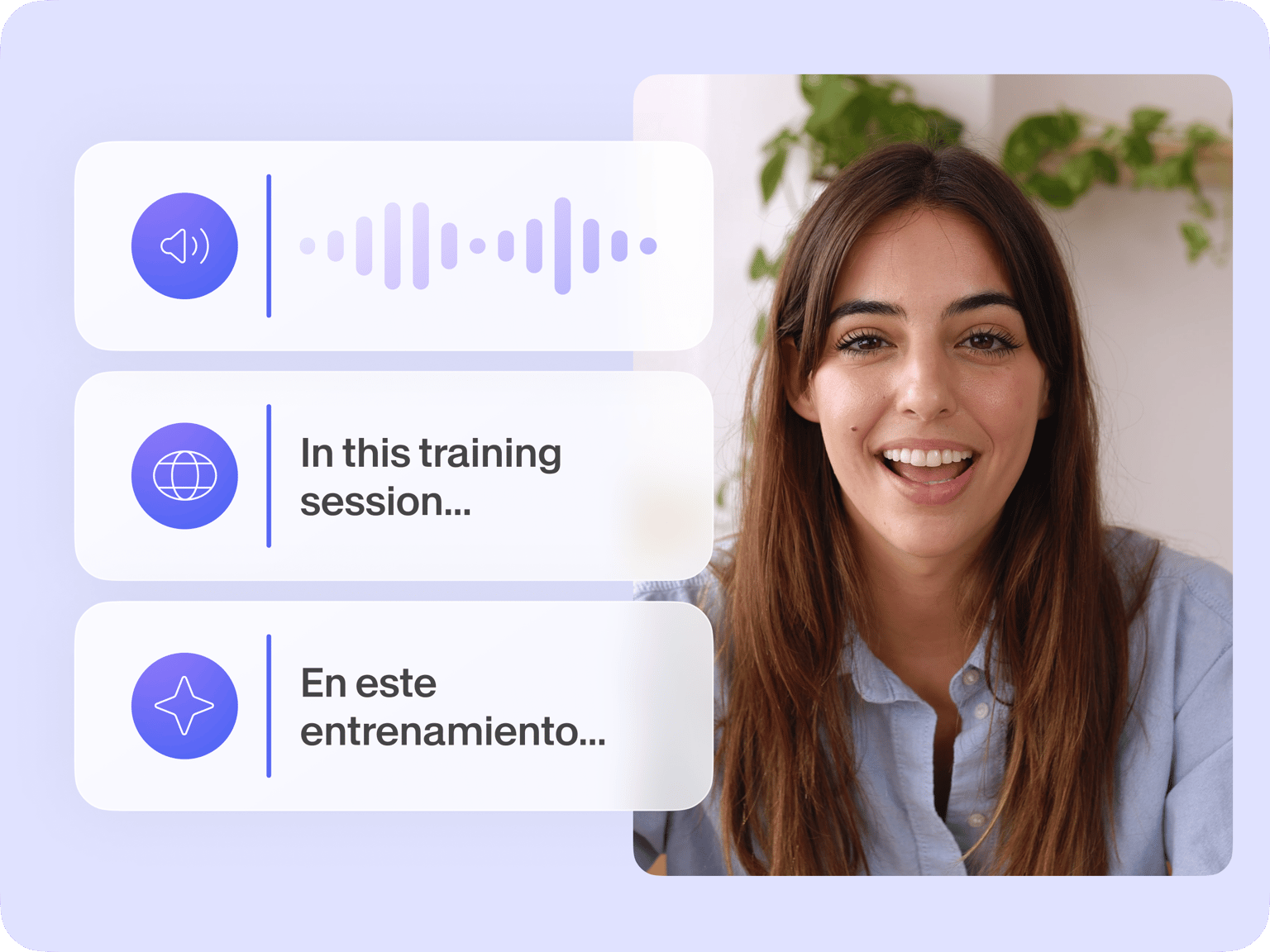
Our AI voice recorder helps you create polished recordings in minutes. Record with confidence using our built-in teleprompter, then auto-transcribe your audio into accurate text. Download transcripts as TXT files to extract quotes for team knowledge bases, blog posts, and social captions.
Want to polish your audio? Our AI toolkit goes beyond basic recording. Clean up background noise, translate to any language, or trim your clips in our simple editor. Need instant voiceovers? Convert text into natural-sounding speech—all in one seamless platform.
How to use our AI voice recorder:
Step 01
Choose a recording layout
Record just audio, your screen or webcam, or both screen & webcam simultaneously. You may need to ‘Allow’ your browser to access your microphone.
Step 02
Hit ‘Record’
Click the red button to start recording. Recording a voiceover or podcast intro? Type your script in our teleprompter for a smooth delivery.
Step 03
Transcribe & enhance with AI
Clean up your audio with the ‘Magic’ button. Or click ‘Add to project’ to access our full editor. Auto-generate accurate subtitles and transcripts, and use Magic Cut to remove filler words and bad takes.
Learn More
Watch our audio recorder tutorial:
Record and edit audio online
Turn your voice into polished content in a few clicks. Start recording, convert audio into text, and generate subtitles automatically. With our ‘Scenes’ feature, you can record multiple audio clips, rearrange them easily, and export them as a single file. Edit and trim your recordings right in our editor.
Get studio-quality sound with AI
Make every recording sound professional. Our AI tools clean up background noise for crystal-clear audio while Magic Cut removes filler words with one click. Need to reach a global audience? Translate your content into multiple languages, complete with subtitles or voice dubbing.
Generate AI voice recordings to save time
Skip the recording setup. Simply type your script, choose from our natural-sounding voices, and let AI create your voiceover. Perfect for quick content updates or professional narration in different languages. Plus, clone your voice for a personalized touch.
FAQ
Yes, you can record and export audio for free. We also offer a free trial of AI transcription, but you’ll need a paid subscription to unlock higher transcription limits. Paid users can also access advanced features like Clean Audio and watermark-free video exports.
- Once you're done recording, click 'Add to project' or 'Edit' to load our video editor.
- Go to the subtitles menu, choose the language, and auto-transcribe.
- Pro subscribers can download the TXT file by clicking Settings > Download.
Our AI tools help perfect your recordings: Clean Audio removes background noise, Magic Cut removes filler words and bad takes, and our auto-subtitle feature makes your content more accessible. Plus, you can translate or dub your content into multiple languages.
Absolutely! Turn any script into natural-sounding speech with our AI voice generator. Or personalize your audio by cloning your own voice. With support for 25+ voice clone languages, you can quickly create content for diverse audiences – without stepping in front of a microphone.
Loved by creators.
Loved by the Fortune 500
“
With VEED I didn't need 15 tutorials - I jumped straight in and started editing.

Gwenne Wilcox
Founder,
Brand Brainery
“
You can go beyond choppping things. VEED actually makes my videos look great.

Michael Glover
Demand Gen Manager,
ConvertFlow
“
The first four videos i created with VEED got over 40,000 impressions on LinkedIn.

Travis Tyler
Senior Content Producer,
PandaDoc
“
I found VEED at the right time: if you're making UGC ads and not using Eye Contact Correction and Noise Reduction on VEED you're missing out on ROI.

Sebastian Schurgers
Head of Growth Marketing,
Gronda
“
With VEED I didn't need 15 tutorials - I jumped straight in and started editing.
Gwenne Wilcox
Founder,
Brand Brainery
“
You can go beyond choppping things. VEED actually makes my videos look great.
Michael Glover
Demand Gen Manager,
ConvertFlow
“
The first four videos i created with VEED got over 40,000 impressions on LinkedIn.
Travis Tyler
Senior Content Producer,
PandaDoc
“
I found VEED at the right time: if you're making UGC ads and not using Eye Contact Correction and Noise Reduction on VEED you're missing out on ROI.
Sebastian Schurgers
Head of Growth Marketing,
Gronda
“
The first four videos i created with VEED got over 40,000 impressions on LinkedIn.
Travis Tyler
Senior Content Producer,
PandaDoc
“
I found VEED at the right time: if you're making UGC ads and not using Eye Contact Correction and Noise Reduction on VEED you're missing out on ROI.
Sebastian Schurgers
Head of Growth Marketing,
Gronda
“
With VEED I didn't need 15 tutorials - I jumped straight in and started editing.
Gwenne Wilcox
Founder,
Brand Brainery
“
You can go beyond choppping things. VEED actually makes my videos look great.
Michael Glover
Demand Gen Manager,
ConvertFlow
Discover more
Explore related tools
More from VEED

How to Clean Up Audio in a Video With This One-Click Trick
Remove distracting background noises in a single click using VEED. Learn how in this guide!

8+ Best AI Voice Generators to Try in 2026
Searching for the best AI voice generator? We tested the top ones so you don't have to. Check out our comprehensive reviews of the best AI voice generators in this listicle.

Subtitling 101: How to Automatically Add and Customize Subtitles with VEED
Everything you need to automatically add, customize, translate, and download subtitles like a pro using VEED.
Trusted by 1M+ creators
When it comes to amazing videos, all you need is VEED
No credit card required
More than an AI audio recorder
VEED streamlines your entire content workflow. Need a script? Our AI generator writes one for you, so you never have to start with a blank page. Turn your audio into videos with sound waves, stock footage, or animations. And convert your slides into engaging videos in minutes. From simple voice recordings to multimedia content, you can do it all on VEED!