


Trusted by 1M+ creators
Static TV Effect
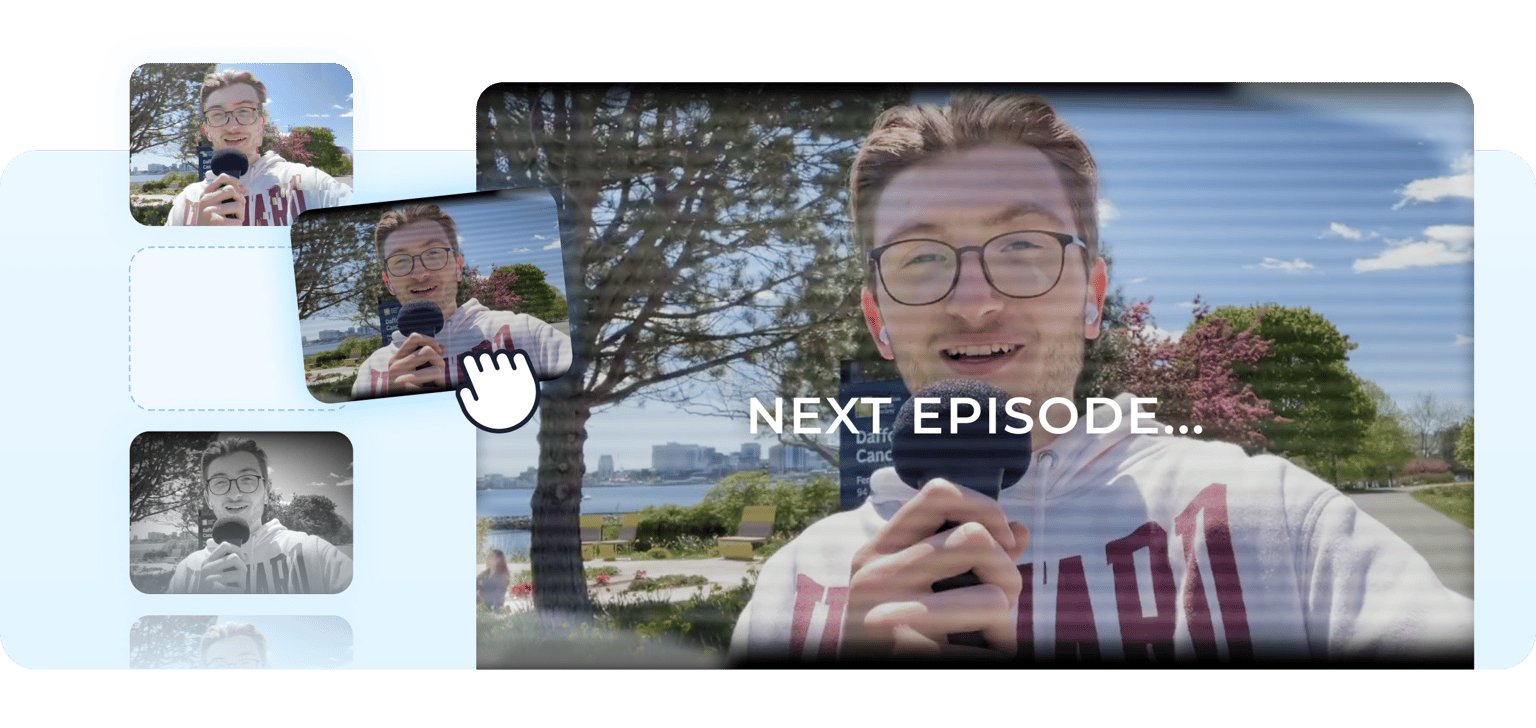
Add a static TV effect on your video using VEED’s video editor effects and filters
No credit card required
4.6
2,100+ reviews














Create a static TV effect in one click
You have several options to create a static TV effect on your video by adding filters. Choose the “Television” video effect from the effects menu. You can also use “strobe, “glitch,” or “filmic” to create your desired effect. Add text, captions, and video overlays to create your most engaging content in a few steps!
How to add a static TV effect to your video:
Step 01
Upload or record
Upload your video to VEED or start recording using our online webcam recorder.
Step 02
Select a filter or effect
Select the appropriate filter from the video effects menu to create your desired effect. You can combine filters and effects for the best output.
Step 03
Export or keep creating
Export your video, or keep using our nifty video editing tools to create your best content!
Learn More
Learn more about video editor effects:
A wide selection of effects to create your desired effect
You can use our full suite of tools to help you achieve your desired effects on your videos. Choose from a range of video effects and camera filters to apply to your video. Invite attention and interaction, and get more likes, follows, and subscribers!
Use stock media for professional-looking shots
Select from our library of stock videos that you can personalize for your video marketing campaigns even without original footage. Add your logo, brand assets, CTA buttons, and more.
Your one-stop video editor for promotional content
Create marketing videos and promotional content in a breeze with our AI and manual tools. Produce clean recordings with tools like video background remover. Clean your audio in one click using our background noise remover and magic cut.
FAQ
Click on your video on the canvas and select the appropriate video effect from the menu. You can combine camera filters and effects to achieve your desired result.
VEED is a browser-based video editor so you can create and edit your content online. No need to install software!
Yes, you can. Remove your video’s original background in one click using our video background remover tool. To add a background, click the “Upload” icon on the left panel, upload your chosen background file, and drag it to the editor.
Absolutely. Split your videos into clips or add multiple videos. Rearrange them on the timeline by dragging and dropping the clips to your desired location.
Loved by creators.
Loved by the Fortune 500
“
With VEED I didn't need 15 tutorials - I jumped straight in and started editing.

Gwenne Wilcox
Founder,
Brand Brainery
“
You can go beyond choppping things. VEED actually makes my videos look great.

Michael Glover
Demand Gen Manager,
ConvertFlow
“
The first four videos i created with VEED got over 40,000 impressions on LinkedIn.

Travis Tyler
Senior Content Producer,
PandaDoc
“
I found VEED at the right time: if you're making UGC ads and not using Eye Contact Correction and Noise Reduction on VEED you're missing out on ROI.

Sebastian Schurgers
Head of Growth Marketing,
Gronda
“
With VEED I didn't need 15 tutorials - I jumped straight in and started editing.
Gwenne Wilcox
Founder,
Brand Brainery
“
You can go beyond choppping things. VEED actually makes my videos look great.
Michael Glover
Demand Gen Manager,
ConvertFlow
“
The first four videos i created with VEED got over 40,000 impressions on LinkedIn.
Travis Tyler
Senior Content Producer,
PandaDoc
“
I found VEED at the right time: if you're making UGC ads and not using Eye Contact Correction and Noise Reduction on VEED you're missing out on ROI.
Sebastian Schurgers
Head of Growth Marketing,
Gronda
“
The first four videos i created with VEED got over 40,000 impressions on LinkedIn.
Travis Tyler
Senior Content Producer,
PandaDoc
“
I found VEED at the right time: if you're making UGC ads and not using Eye Contact Correction and Noise Reduction on VEED you're missing out on ROI.
Sebastian Schurgers
Head of Growth Marketing,
Gronda
“
With VEED I didn't need 15 tutorials - I jumped straight in and started editing.
Gwenne Wilcox
Founder,
Brand Brainery
“
You can go beyond choppping things. VEED actually makes my videos look great.
Michael Glover
Demand Gen Manager,
ConvertFlow
Discover more
Trusted by 1M+ creators
When it comes to amazing videos, all you need is VEED
No credit card required
Static TV effects, video filters, captions, and more!
VEED is packed with pro video editing tools to help you create your best content in a snap. You can use our video editor to rotate, resize, and crop your videos to fit any social media platform. Make your videos compatible with Instagram, Facebook, and other video-sharing sites. Repurpose your content and create multiple videos in minutes so you can focus on the work that matters.