


Trusted by 1M+ creators
Lecture Recording
Screen recorder for your online classroom. Record your screen and webcam; free
No credit card required
4.6
2,100+ reviews














The best software for class and lecture recordings
Create the best quality educational videos for your students using VEED’s online lecture recording software. Our voice recorder and screen recorder app can help you create a superior learning experience that goes beyond what’s in the module. Create engaging educational clips, presentations, and lectures—whether you’re teaching medical students, college students, or clients from your personalized online courses.
Our recording software features built-in pro video editing tools and smart integrations like eye contact correction. Redirect subtle eye movements to the camera so you always look like you’re looking at your audience.
How to record a lecture:
Step 01
Select a layout
Choose a layout (camera, audio, screen, screen and camera, and more) and click ‘Allow’ to give access to your screen, camera, and/or microphone.
Step 02
Start recording
Click the red button to start recording. You'll see a countdown timer before the recording starts. Don't worry if you mess up; you have unlimited retakes. You can navigate to other pages, and don't worry; you are still recording!
Step 03
Edit, correct eye movements, and export
Export your video or click on the Magic icon. This lets you use our AI eye contact tool, remove your video’s background, or use the Magic Cut feature—let our AI splice your clips and create the final video. Or click Edit and explore our full range of video editing tools.
Learn More
Watch this walkthrough of our online screen recorder:
Customizations for all types of online learning
Our lecture recording app is designed for all types of online learning. You can choose from a wide variety of backgrounds, layouts, and themes. Record lectures that you can upload to your Learning Management System. Add yourself to the scene while presenting. Change the size and shape of your camera feed, upload your slides, and more. You can also add background music and sound effects to make your class as lively and engaging as possible.
Designed to make recordings pain-free with AI
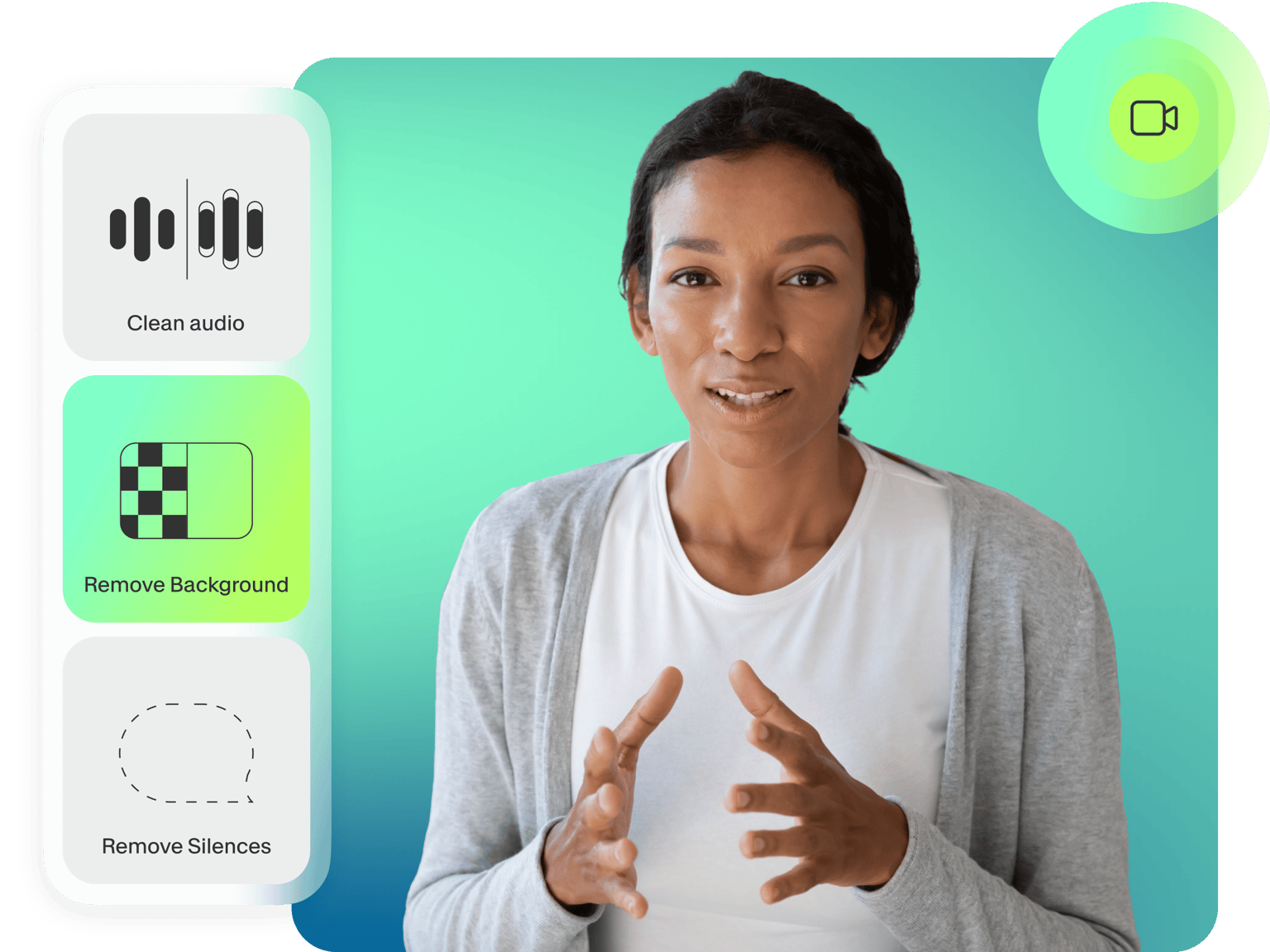
Using VEED’s screen recording tool is a breeze. With our built-in AI features, you should have a studio-quality recording ready in no time. Ensure that your audio is crisp and clear by using our one-click background noise remover. You can also remove and replace your video’s background to hide the clutter in your home office. Or use our nifty Magic Cut tool to let our AI do the gritty work and select the best scenes from your recordings to highlight.
An extensive video recording and editing software
VEED is the only free screen recorder that features an extensive list of pro tools you can use to edit your videos to perfection. Our video editing suite boasts an intuitive timeline and smart drag-and-drop interface. No need for lengthy and confusing configurations. If you’re recording lectures for your YouTube channel, you can even add your logo to stay on-brand. Do it all in a few clicks—straight from your browser.
FAQ
Use VEED’s lecture recording software to record your online lectures. All you have to do is press the red button. You can record your screen and/or webcam while presenting your slides using our software. Correct eye movements so you’re always looking at the camera, create multiple scenes, and more.
The best way to make a recorded lecture interactive is to ensure that you create deliberate pauses. Ask questions or give your students a task now and then, pause briefly, or do it between videos. This creates the sensation that they are in a live lecture. You can also add humor to your lecture to make it more engaging.
VEED lets you convert recordings to text using our audio-to-text software. Upload your audio or video to VEED, use our Auto Subtitle tool, and download the transcript. Available to premium subscribers.
With VEED, you can also convert your written lectures to speech using our text-to-voiceover tool. Just paste or type your text, and our AI will read your lecture aloud for you!
Loved by creators.
Loved by the Fortune 500
“
With VEED I didn't need 15 tutorials - I jumped straight in and started editing.

Gwenne Wilcox
Founder,
Brand Brainery
“
You can go beyond choppping things. VEED actually makes my videos look great.

Michael Glover
Demand Gen Manager,
ConvertFlow
“
The first four videos i created with VEED got over 40,000 impressions on LinkedIn.

Travis Tyler
Senior Content Producer,
PandaDoc
“
I found VEED at the right time: if you're making UGC ads and not using Eye Contact Correction and Noise Reduction on VEED you're missing out on ROI.

Sebastian Schurgers
Head of Growth Marketing,
Gronda
“
With VEED I didn't need 15 tutorials - I jumped straight in and started editing.
Gwenne Wilcox
Founder,
Brand Brainery
“
You can go beyond choppping things. VEED actually makes my videos look great.
Michael Glover
Demand Gen Manager,
ConvertFlow
“
The first four videos i created with VEED got over 40,000 impressions on LinkedIn.
Travis Tyler
Senior Content Producer,
PandaDoc
“
I found VEED at the right time: if you're making UGC ads and not using Eye Contact Correction and Noise Reduction on VEED you're missing out on ROI.
Sebastian Schurgers
Head of Growth Marketing,
Gronda
“
The first four videos i created with VEED got over 40,000 impressions on LinkedIn.
Travis Tyler
Senior Content Producer,
PandaDoc
“
I found VEED at the right time: if you're making UGC ads and not using Eye Contact Correction and Noise Reduction on VEED you're missing out on ROI.
Sebastian Schurgers
Head of Growth Marketing,
Gronda
“
With VEED I didn't need 15 tutorials - I jumped straight in and started editing.
Gwenne Wilcox
Founder,
Brand Brainery
“
You can go beyond choppping things. VEED actually makes my videos look great.
Michael Glover
Demand Gen Manager,
ConvertFlow
Discover more
Trusted by 1M+ creators
When it comes to amazing videos, all you need is VEED
No credit card required
More than a lecture recording software
VEED is a powerful video editing app that lets you do so much more than just record lectures, classes, and tutorials. It’s a complete video editing software perfect for creating professional-looking videos in just a few clicks. You don’t need any video editing experience. Add images, audio, text, and subtitles to your videos. We also have a library of stock audio and video, templates, and everything you’ll ever need to create stunning videos! Try VEED today and start creating amazing videos that you can share with the world.