


Trusted by 1M+ creators
Video Voice Changer
An instant AI voice changer online tool. Record your voice once and use your voice profile to create voiceovers
No credit card required
4.6
2,100+ reviews














Replicate your voice with VEED’s online voice changer
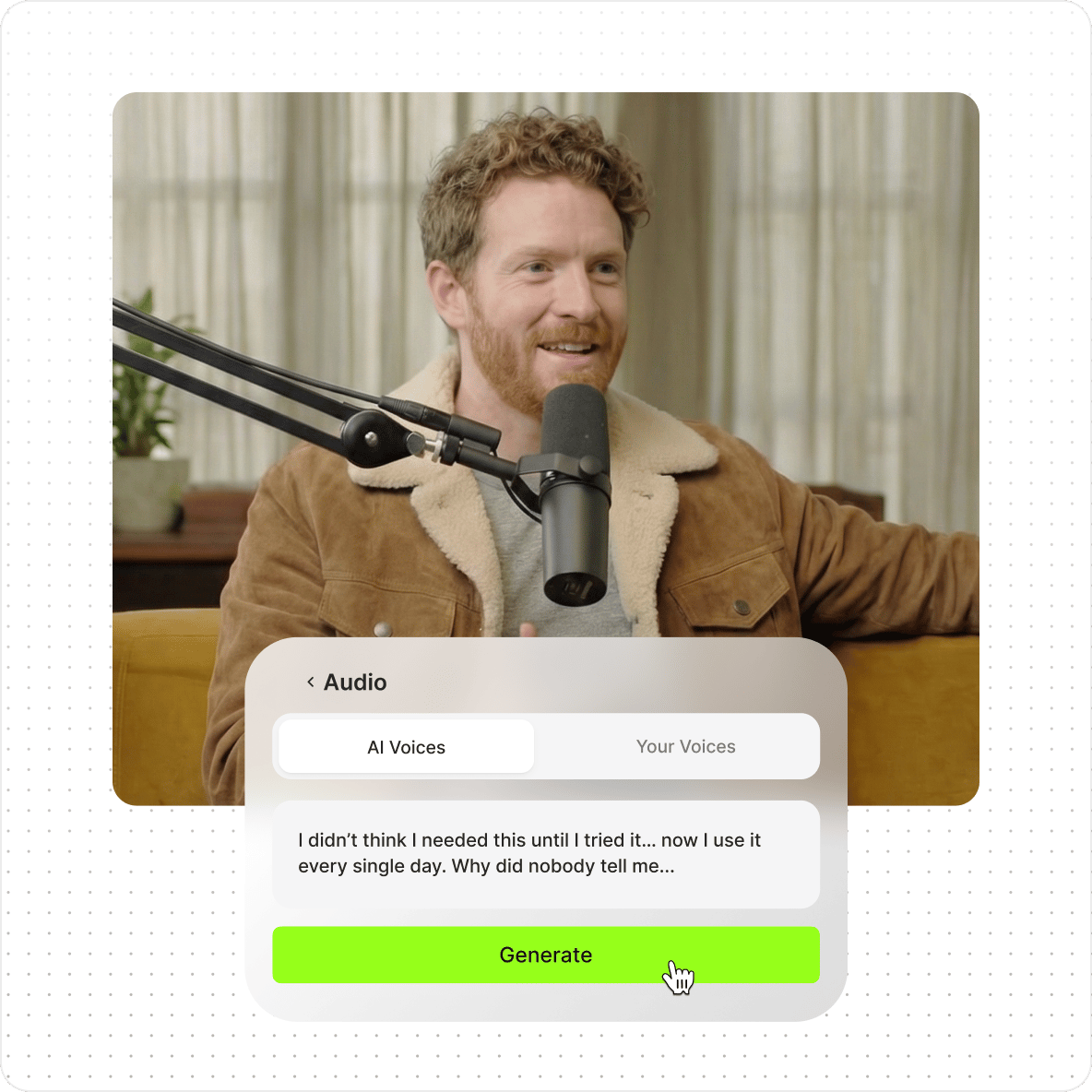
VEED's AI voice changer lets you clone your voice and use it to generate voiceovers from text — no recording studio needed. Record your voice once, save it as a voice profile, and type any script to generate narration in your own voice. Works for male and female voices, and the voice profile is reusable across any project.
How to clone your voice with the AI video voice changer:
Step 01
Record your voice
Click Text-to-Speech in the Audio tab, select “Voice Clone,” and hit record. Read the script on the popup screen, including the Terms of Service agreement.
Step 02
Clone your voice and convert text to speech
Once your voice profile is saved, type a text and select your name under Voice Clone. Our artificial intelligence software will now read your text with your customized voice profile.
Step 03
Add your voiceover to your project
Add your voiceover to your project. You can create a video, export the audio file with your replicated voice, or keep exploring our AI video tools to make the best content.
Learn More
Watch this walkthrough of our online video voice changer:
Your personalized AI voice generator
Once your voice profile is saved, type a script and VEED's AI reads it back in your voice — matching your pitch and tone using machine learning. No re-recording needed for new content.
Precision-focused text-to-speech voice changer
VEED's voice changer focuses on accuracy — building a vocal identity that sounds like you, not a generic AI voice. Generate voiceovers from text instantly, and translate them using the voice dubber in one click.
Your one-stop AI suite for your audio and video projects
Beyond voice cloning, add automatic captions, music, and sound effects to your videos in the same editor. VEED handles the full production) workflow — from voiceover to finished video — without switching tools.
FAQ
While the voice changer tool does not allow you to change the existing voice recording on your video, you can create new voiceovers using your voice profile or preset AI voices.
VEED does not recommend using other people’s voices without their permission when using the voice changer online AI tool. However, you are free to record and clone your own voice to use on all your video projects.
Click Text-to-Speech from the Audio menu and select Voice Clone. Record your voice, reading the script on the screen. Type a text and let our artificial intelligence read your text with your customized voice clone.
VEED is the most efficient and powerful tool you can use to clone your voice with AI. It’s fast and only takes one recording for our artificial intelligence software to create a customized voice profile. Once you’ve saved your voice, you can use our text-to-speech tool to add instant AI-generated voiceovers to your content in just one click!
Currently, you can add up to 2,000 characters to convert to speech with your AI voice clone per video project.
Do not use the AI voice cloner app to create harmful content, infringe any third-party rights, or defame anyone. Remember to tell anyone who is viewing your images that they are AI-generated. You can read the full terms here.
Loved by creators.
Loved by the Fortune 500
“
With VEED I didn't need 15 tutorials - I jumped straight in and started editing.

Gwenne Wilcox
Founder,
Brand Brainery
“
You can go beyond choppping things. VEED actually makes my videos look great.

Michael Glover
Demand Gen Manager,
ConvertFlow
“
The first four videos i created with VEED got over 40,000 impressions on LinkedIn.

Travis Tyler
Senior Content Producer,
PandaDoc
“
I found VEED at the right time: if you're making UGC ads and not using Eye Contact Correction and Noise Reduction on VEED you're missing out on ROI.

Sebastian Schurgers
Head of Growth Marketing,
Gronda
“
With VEED I didn't need 15 tutorials - I jumped straight in and started editing.
Gwenne Wilcox
Founder,
Brand Brainery
“
You can go beyond choppping things. VEED actually makes my videos look great.
Michael Glover
Demand Gen Manager,
ConvertFlow
“
The first four videos i created with VEED got over 40,000 impressions on LinkedIn.
Travis Tyler
Senior Content Producer,
PandaDoc
“
I found VEED at the right time: if you're making UGC ads and not using Eye Contact Correction and Noise Reduction on VEED you're missing out on ROI.
Sebastian Schurgers
Head of Growth Marketing,
Gronda
“
The first four videos i created with VEED got over 40,000 impressions on LinkedIn.
Travis Tyler
Senior Content Producer,
PandaDoc
“
I found VEED at the right time: if you're making UGC ads and not using Eye Contact Correction and Noise Reduction on VEED you're missing out on ROI.
Sebastian Schurgers
Head of Growth Marketing,
Gronda
“
With VEED I didn't need 15 tutorials - I jumped straight in and started editing.
Gwenne Wilcox
Founder,
Brand Brainery
“
You can go beyond choppping things. VEED actually makes my videos look great.
Michael Glover
Demand Gen Manager,
ConvertFlow
Discover more
- AI Voice Maker
- AI Voice Mimic
- AI Voice Replicator
- Dutch Voice Cloning
- French Voice Cloning
- Hindi Voice Cloning
- Italian AI Voice Cloning
- Japanese Voice Cloning
- Korean Voice Cloning
- Overdub
- Polish Voice Cloning
- Portuguese Voice Cloning
- Real Time Voice Cloning
- Russian Voice Cloning
- Spanish Voice Cloning
- Text to Speech Using My Own Voice
- Turkish Voice Cloning
- Voice Emulator
- Voice to Voice AI
Explore related tools
More from VEED

How to Clean Up Audio in a Video With This One-Click Trick
Remove distracting background noises in a single click using VEED. Learn how in this guide!

How To Translate a YouTube Video to English (and Any Other Language)
Knowing how to translate YouTube videos online can be one of the most useful things in a bilingual content creator’s arsenal.

How to Send Large Video Files (from Desktop, iPhone, and Android)
Have a large video file that you'd like to share? Check out the 7 best methods that can help with that.
Trusted by 1M+ creators
When it comes to amazing videos, all you need is VEED
No credit card required
Video voice changer, video, and audio editor powered by AI
Voice cloning is one tool in a broader audio and video workflow. VEED is an AI video creation platform where you can generate, refine, and export videos for TikTok, Instagram, YouTube, and LinkedIn. Beyond voice cloning, use your voice profile with AI text-to-speech to narrate explainers, ads, or social content — and add captions, music, and brand assets in the same workspace. Sign up now to start creating.