


Trusted by 1M+ creators
Music Visualizer
Add stunning music visualizations to your videos. Create audiograms and waveforms
No credit card required

4.6
2,100+ reviews














Dynamic music visualizer: Add mesmerizing visuals to your audio
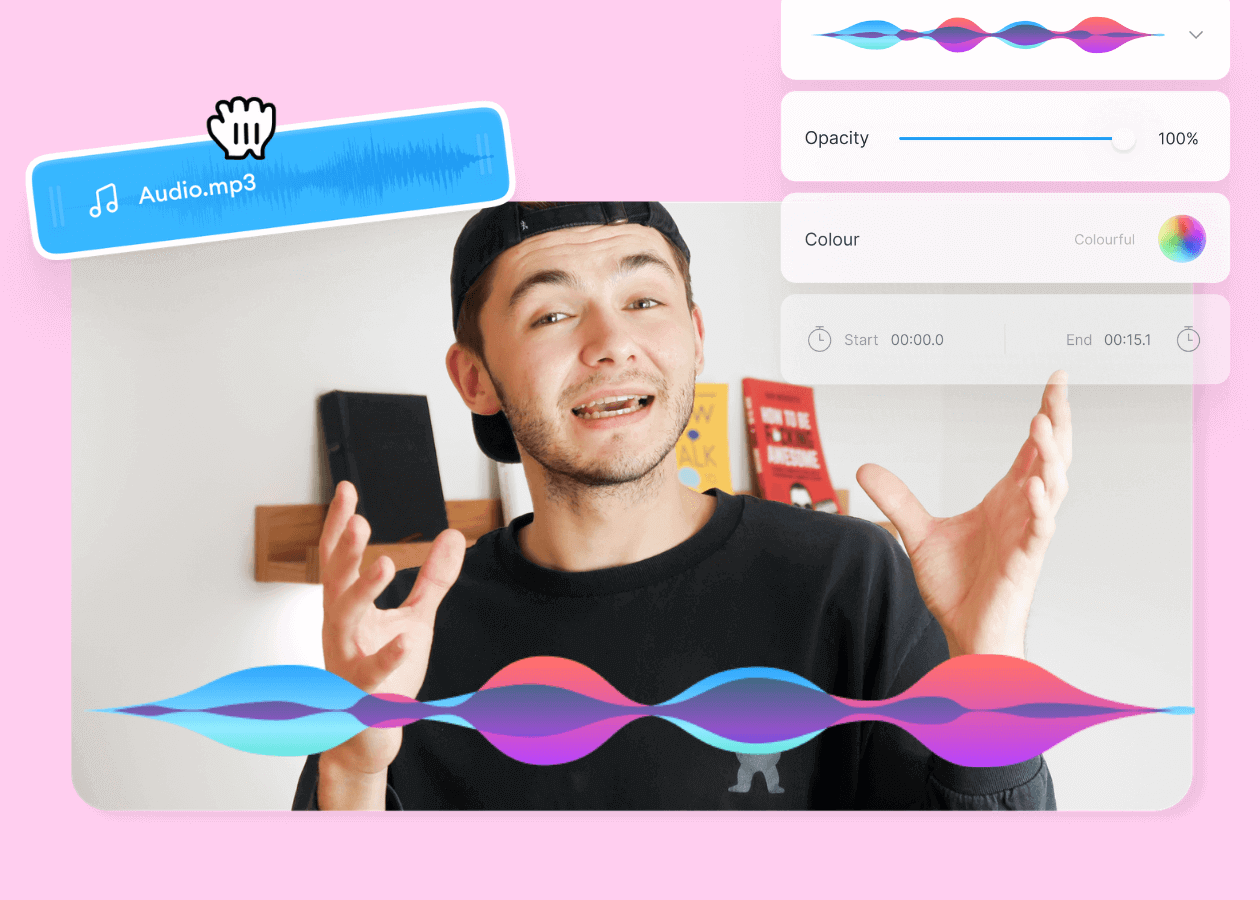
Add animated sound waves and audio visualizations to your videos right in your browser. VEED animates the waveform based on your audio's actual frequencies — so the visuals move with the beat, melody, and rhythm of your track. Choose from a wide range of audiogram templates for any genre, customize the colors and animation style, and export your music video ready to share on YouTube, Instagram, or wherever your audience is.
How to add a music visualizer:
Step 01
Upload, record, or use stock audio
Upload your audio or video to VEED, or start recording using our audio recorder. You can also use royalty-free music from our stock audio library.
Step 02
Add sound waves
Click on ‘Elements’ on the left menu. Select a music visualization style under ‘Add Sound Wave.’ You can customize the animation, color, etc., if you wish.
Step 03
Export or keep creating!
Export the video or keep exploring our tools to ensure your video is as engaging as possible. You can also add lyrics to your video by adding text or automatically generating subtitles.
Learn More
Watch this to learn more about our music visualizer tool:

Unveil the hidden colors of sound with our audio visualizer
Add free audio visualizers and frequency spectrums to any video with VEED's online music visualization tool. Pick from a wide range of customizable templates for any music style, then export your music video in a format that plays on any media player, including VLC.

Customize sound waves to create the perfect audio-visual harmony
VEED gives you full control over how your sound waves look. Choose from a range of audio spectrum styles, then adjust the color, opacity, and duration to match your track's mood and your brand. The result is a music video that feels intentional, not generic.

Create innovative videos with sound using our video editor
Produce music videos quickly using VEED's timeline, snap-to-grid, and drag-and-drop editor — no learning curve required. Upload your own audio and clean it in one click with the automatic background noise remover. Split, cut, and rearrange your audio clips until the timing is exactly right.
FAQ
Adding an audio visualizer to your audio or video is a breeze with VEED. Upload your audio or video to VEED or use one of our royalty-free stock music. Click on ‘Elements’ on the left menu and select a sound wave style. Customize it if you want, and export your video. Do all of that in just a few clicks!
VEED is the top free online video editor - trusted by thousands of content creators. That said, you can trust that VEED’s music visualization tools are superb and highly customizable.
Our music visualizer tools are completely free to use! VEED does offer premium subscriptions, but there is no charge to add sound waves to your videos.
Music visualization software can create visual representations of your audio. VEED’s music visualizer tool lets you add personalized animated sound waves to your audio so you can create music videos. They are animated to follow the rhythm, beat, and melody of your music.
Yes! You can customize your video with tons of effects; add shapes, colors, logos, and backgrounds. Everything you need to make your video look as captivating as possible, you can find a tool for it in our video editing suite.
VEED makes video creation and editing fun and pain-free! Join the thousands of content creators all over the world who are choosing VEED because it eliminates complicated video editing tasks and turns them into a few simple steps—without compromising video and audio quality.
Loved by creators.
Loved by the Fortune 500
“
With VEED I didn't need 15 tutorials - I jumped straight in and started editing.

Gwenne Wilcox
Founder,
Brand Brainery
“
You can go beyond choppping things. VEED actually makes my videos look great.

Michael Glover
Demand Gen Manager,
ConvertFlow
“
The first four videos i created with VEED got over 40,000 impressions on LinkedIn.

Travis Tyler
Senior Content Producer,
PandaDoc
“
I found VEED at the right time: if you're making UGC ads and not using Eye Contact Correction and Noise Reduction on VEED you're missing out on ROI.

Sebastian Schurgers
Head of Growth Marketing,
Gronda
“
With VEED I didn't need 15 tutorials - I jumped straight in and started editing.
Gwenne Wilcox
Founder,
Brand Brainery
“
You can go beyond choppping things. VEED actually makes my videos look great.
Michael Glover
Demand Gen Manager,
ConvertFlow
“
The first four videos i created with VEED got over 40,000 impressions on LinkedIn.
Travis Tyler
Senior Content Producer,
PandaDoc
“
I found VEED at the right time: if you're making UGC ads and not using Eye Contact Correction and Noise Reduction on VEED you're missing out on ROI.
Sebastian Schurgers
Head of Growth Marketing,
Gronda
“
The first four videos i created with VEED got over 40,000 impressions on LinkedIn.
Travis Tyler
Senior Content Producer,
PandaDoc
“
I found VEED at the right time: if you're making UGC ads and not using Eye Contact Correction and Noise Reduction on VEED you're missing out on ROI.
Sebastian Schurgers
Head of Growth Marketing,
Gronda
“
With VEED I didn't need 15 tutorials - I jumped straight in and started editing.
Gwenne Wilcox
Founder,
Brand Brainery
“
You can go beyond choppping things. VEED actually makes my videos look great.
Michael Glover
Demand Gen Manager,
ConvertFlow
Discover more
Explore related tools
More from VEED
Top 5 Best Music Visualizers [Free and Paid]
Here are some of the best music visualizers available on the internet and how to use them!

How to Rotate a Video (6 Quick & Easy Ways)
How to easily rotate a video whether you're on your desktop, mobile, or on your web browser.

11 Easy Ways to Add Music to Video [Step-By-Step Guide] in 2026
Not sure where to find music for video whether free or paid? Want to learn how to find it, pick the right song, and then add it to your video content? Then dig in!
Trusted by 1M+ creators
When it comes to amazing videos, all you need is VEED
No credit card required
More than a music visualization tool
Your audio visualizer is just the start. VEED is an AI video creation platform built for social — so once your sound waves are set, the full editing suite is right there in the same tab.
Add photos, text, and captions to make your content accessible. Repurpose your music video for different platform formats — square for Instagram, vertical for TikTok, widescreen for YouTube. Everything works in your browser, with no software to download.