


Trusted by 1M+ creators
GIF Meme Maker
Create GIF memes - choose from our selection of GIFs and animated stickers, customize, or create a new one from an original video!
No credit card required
4.6
2,100+ reviews














Create GIF memes that you can use for social media campaigns
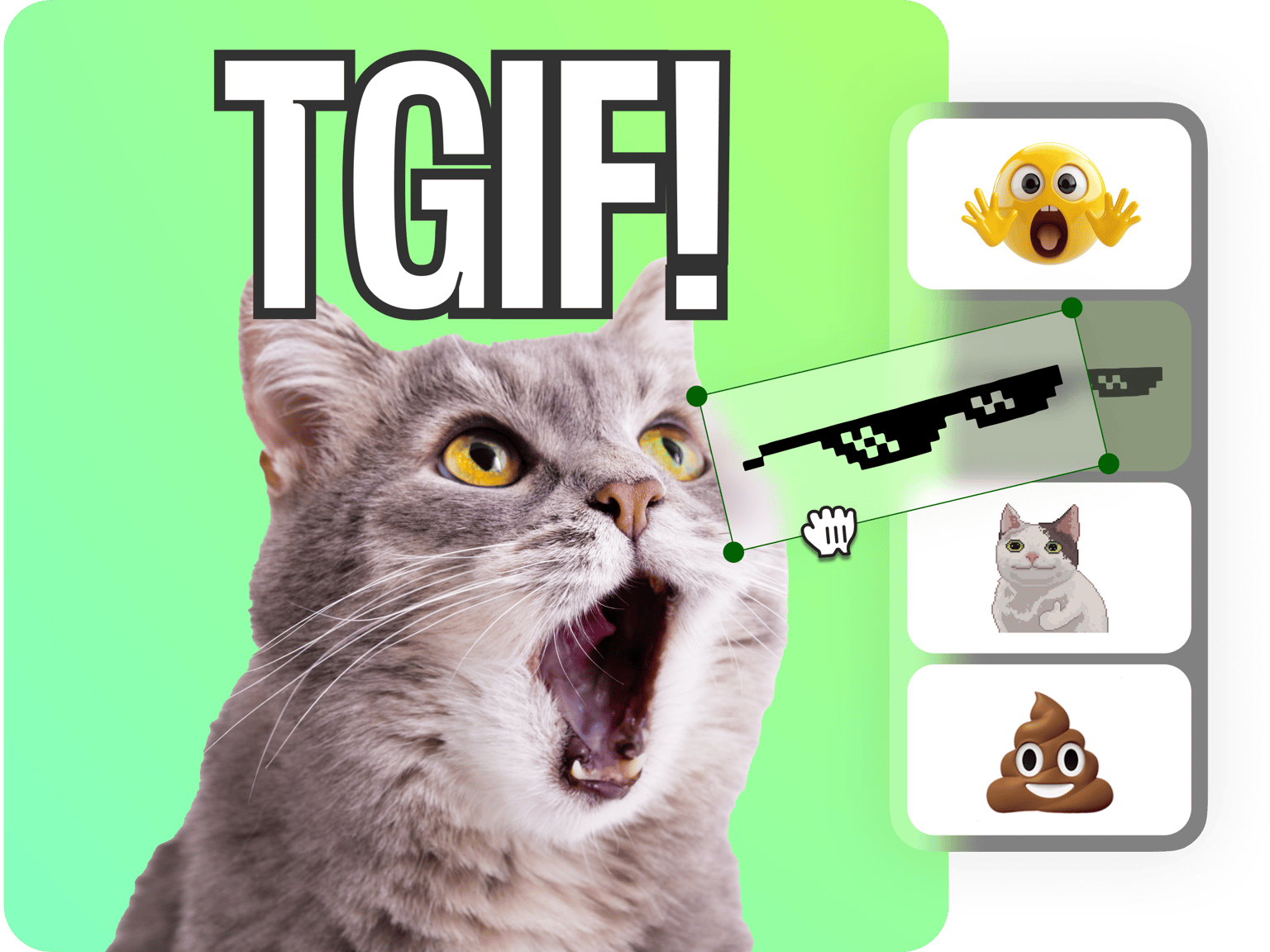
GIFs are not just fun; they can also be used as short, relatable, and easy-to-consume content for your social media campaigns. Create relatable GIF memes using VEED’s meme generator. We have plenty of ready-made, customizable GIFs and animated stickers in the Elements tab that you can personalize. You can add text, crop the GIF, or put two GIFs side by side. Be as creative as you want! Add your watermark or logo to make sure you get credit for your memes!
Personalizing your GIF meme:
Step 01
Select a GIF or animated sticker from the Elements tab
Start with a blank canvas and choose from our customizable GIFs and animated stickers from the Elements tab. Or start from scratch using your own videos.
Step 02
Add top and bottom texts, watermarks, images, and more!
Add top text and bottom text to your GIF to create a meme. You can also add your logo using our Brand Kit (available to premium subscribers). Add images, shapes, and drawings!
Step 03
Optimize for social media and share!
Resize your GIF meme for different social media platforms. Get your brand noticed by posting relatable GIF memes on Facebook and Twitter! You can download your GIF or send it via email by copying and pasting the VEED link!
Learn More
‘GIF Meme Maker’ Tutorial
Streamline your content creation using our online tools
If you want to post multiple contents for your brand on your social media pages, you need tools that work and load fast! VEED’s complete suite of video editing tools can help you streamline your content creation process. Do it all from your browser; reduce the clutter on your desktop. Use our online GIF meme maker to post regularly on your social pages!
Optimize for social, collaborate, and keep all your projects in one place
You can resize your GIFs instantly to optimize them for different social media platforms. Select a preset or enter a custom size on the Settings. VEED also lets you store your creations in your Dashboard. Add collaborators to your account so you can easily work on content together. One dashboard; one software for all your team’s video marketing campaigns!
Send GIFs as previews for videos in email
VEED is also perfect for creating videos for work. Record messages instead of sending long emails using our screen and webcam recorder. Send the VEED video link via email instead of sending the video file to avoid exceeding file size limits. You can copy a link that will automatically produce a GIF preview.
FAQ
Select an existing GIF or animated sticker from our Elements tab and personalize it. Or you can create GIFs from videos using VEED’s professional video editor .
VEED works on all mobile devices including iPhone and Android phones and tablets. All you need is your mobile browser!
To add captions to your GIF, just click on the Text tool from the left menu and start typing! You can place your text on the top, bottom, sides, and anywhere on the canvas.
Memes have become increasingly popular over the years. The term comes from the Greek word “minema” which means imitated. It is not an abbreviation of any sort.
Loved by creators.
Loved by the Fortune 500
“
With VEED I didn't need 15 tutorials - I jumped straight in and started editing.

Gwenne Wilcox
Founder,
Brand Brainery
“
You can go beyond choppping things. VEED actually makes my videos look great.

Michael Glover
Demand Gen Manager,
ConvertFlow
“
The first four videos i created with VEED got over 40,000 impressions on LinkedIn.

Travis Tyler
Senior Content Producer,
PandaDoc
“
I found VEED at the right time: if you're making UGC ads and not using Eye Contact Correction and Noise Reduction on VEED you're missing out on ROI.

Sebastian Schurgers
Head of Growth Marketing,
Gronda
“
With VEED I didn't need 15 tutorials - I jumped straight in and started editing.
Gwenne Wilcox
Founder,
Brand Brainery
“
You can go beyond choppping things. VEED actually makes my videos look great.
Michael Glover
Demand Gen Manager,
ConvertFlow
“
The first four videos i created with VEED got over 40,000 impressions on LinkedIn.
Travis Tyler
Senior Content Producer,
PandaDoc
“
I found VEED at the right time: if you're making UGC ads and not using Eye Contact Correction and Noise Reduction on VEED you're missing out on ROI.
Sebastian Schurgers
Head of Growth Marketing,
Gronda
“
The first four videos i created with VEED got over 40,000 impressions on LinkedIn.
Travis Tyler
Senior Content Producer,
PandaDoc
“
I found VEED at the right time: if you're making UGC ads and not using Eye Contact Correction and Noise Reduction on VEED you're missing out on ROI.
Sebastian Schurgers
Head of Growth Marketing,
Gronda
“
With VEED I didn't need 15 tutorials - I jumped straight in and started editing.
Gwenne Wilcox
Founder,
Brand Brainery
“
You can go beyond choppping things. VEED actually makes my videos look great.
Michael Glover
Demand Gen Manager,
ConvertFlow
Discover more
Trusted by 1M+ creators
When it comes to amazing videos, all you need is VEED
No credit card required
More than a GIF meme maker
VEED is so much more than a GIF meme maker! It’s a professional video editing software yet super fun to use because it features so many tools that let you get creative and make your content unique. Create and edit GIFs and videos and export them in high-quality format (up to 4k!). It’s the perfect companion for content creators everywhere! Try VEED now and start streamlining your video content creation process!