


Trusted by 1M+ creators
DJ Intro Maker
Create custom DJ Intros for your videos online. No download required
No credit card required
4.6
2,100+ reviews














Create Custom DJ Drops Online with a Free DJ Intro Maker
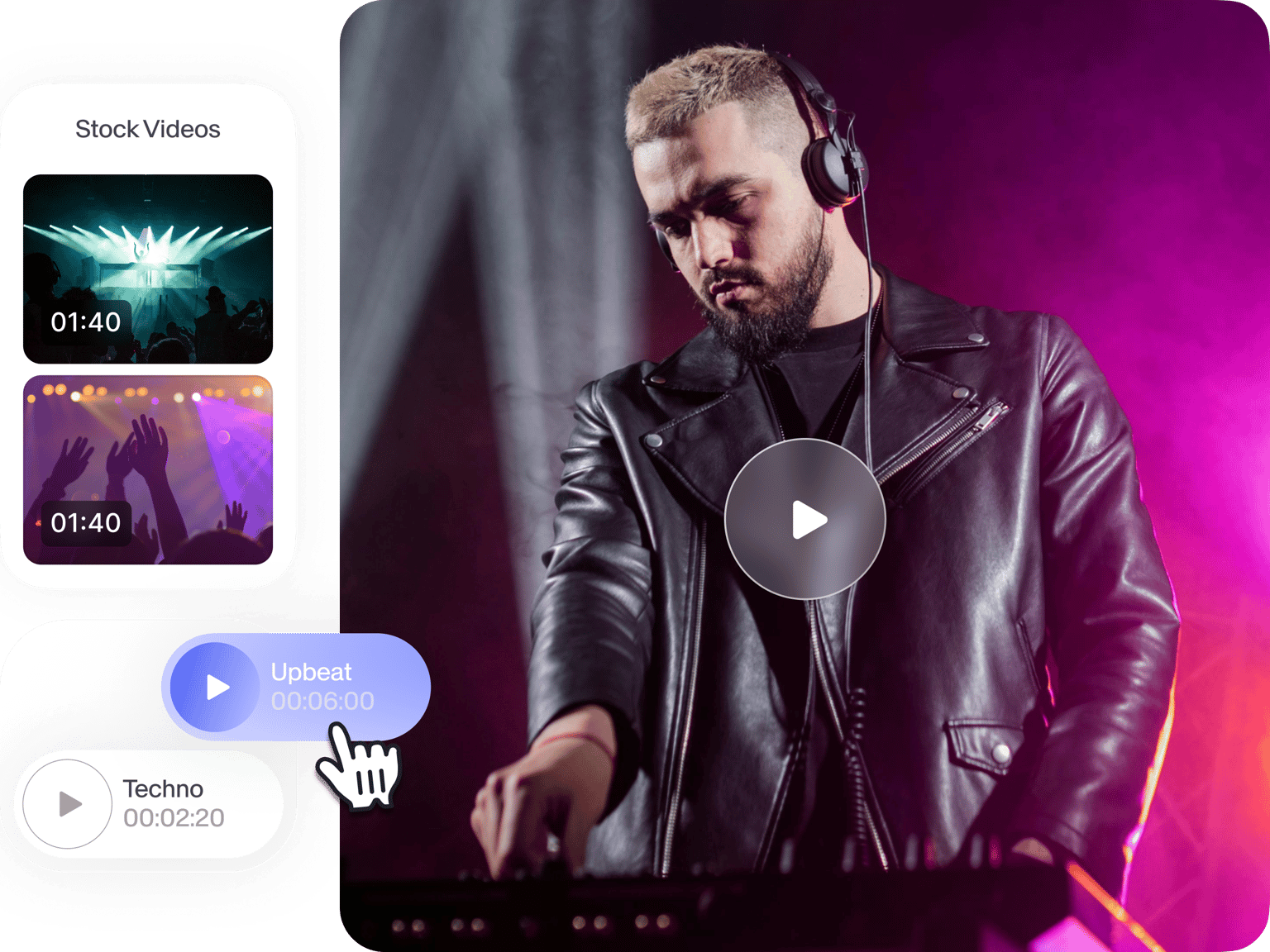
All DJs dream of that big sound that will make their sound mixes stand out from the rest. Make your DJ videos look professionally edited using VEED’s free tool. Our DJ Intro Maker is used by beginners and pros alike, allowing you to create DJ intros with just a few clicks. Simply drag and drop your files into the editor, mix them, customize them, and get the party started!
How to Create a DJ Intro:
Step 01
Upload your video
Upload your DJ video clips to VEED. You can drag and drop them from your folder and into the editor.
Step 02
Add audio, text, images, and start mixing
Start mixing by adding your audio files. Just click on Upload and drag and drop your files. You can also add text, images, and other elements. Rearrange your music tracks on the timeline.
Step 03
Export
When you’re happy with your video, click on ‘Export’. Download it in the format you prefer and share it on social media!
Learn More
‘DJ Intro Maker’ Tutorial
Make DJ intros like a professional sound producer
If you want to make it big on your DJ career, creating custom DJ intros for your music videos is a great way to get started. This will help you catch your audience’s attention, get them to want to hear more of your music, and encourage them to subscribe to your channel. VEED’s online video maker makes it incredibly easy to create awesome custom intros.
Add sound effects, sound mixes, and music visualizers
You can add your own custom sound effects or download them from royalty-free music libraries online. You can even add music visualizers to make your DJ videos look even cooler. Select from a wide range of sound waves from our collection. You can place them anywhere on the video frame. Get creative and show the world your creations!
Get more subscribers on your YouTube channel
VEED’s DJ intro creator will help you get more views and subscribers on your YouTube channel. By making your videos look professional, you can encourage more listeners to tune in. Add voiceovers to introduce yourself; add custom name tags to let people know who you are.
FAQ
- Upload your DJ video clips and music to VEED 2. Customize the beginning of your video 3. Download your video
You absolutely can, with VEED! While VEED does not provide sound effects, you can select from thousands of royalty-free audio files online from free libraries. Just download them for free and start adding them to the editor. You can mix and rearrange your sound files just by dragging and dropping them across the timeline.
You can simply upload your audio file to VEED to incorporate it with your video. Just click on the plus (+) icon on the bottom-right of the editor or click Upload. You can drag and drop the audio to the start of the timeline to place it on your intro.
Yes, you can! With VEED, it is super easy to add text, captions, headings, and subtitles to your video. Just click on the Text tool on the left menu and start typing!
Loved by creators.
Loved by the Fortune 500
“
With VEED I didn't need 15 tutorials - I jumped straight in and started editing.

Gwenne Wilcox
Founder,
Brand Brainery
“
You can go beyond choppping things. VEED actually makes my videos look great.

Michael Glover
Demand Gen Manager,
ConvertFlow
“
The first four videos i created with VEED got over 40,000 impressions on LinkedIn.

Travis Tyler
Senior Content Producer,
PandaDoc
“
I found VEED at the right time: if you're making UGC ads and not using Eye Contact Correction and Noise Reduction on VEED you're missing out on ROI.

Sebastian Schurgers
Head of Growth Marketing,
Gronda
“
With VEED I didn't need 15 tutorials - I jumped straight in and started editing.
Gwenne Wilcox
Founder,
Brand Brainery
“
You can go beyond choppping things. VEED actually makes my videos look great.
Michael Glover
Demand Gen Manager,
ConvertFlow
“
The first four videos i created with VEED got over 40,000 impressions on LinkedIn.
Travis Tyler
Senior Content Producer,
PandaDoc
“
I found VEED at the right time: if you're making UGC ads and not using Eye Contact Correction and Noise Reduction on VEED you're missing out on ROI.
Sebastian Schurgers
Head of Growth Marketing,
Gronda
“
The first four videos i created with VEED got over 40,000 impressions on LinkedIn.
Travis Tyler
Senior Content Producer,
PandaDoc
“
I found VEED at the right time: if you're making UGC ads and not using Eye Contact Correction and Noise Reduction on VEED you're missing out on ROI.
Sebastian Schurgers
Head of Growth Marketing,
Gronda
“
With VEED I didn't need 15 tutorials - I jumped straight in and started editing.
Gwenne Wilcox
Founder,
Brand Brainery
“
You can go beyond choppping things. VEED actually makes my videos look great.
Michael Glover
Demand Gen Manager,
ConvertFlow
Discover more
- 2D Intro Maker
- Anime Intro Maker
- Company Intro
- Cooking Intro
- Dubstep Intro Maker
- Education Intro Maker
- Free video intro maker for Youtube
- Gaming Intro Maker
- Intro & Outro Maker
- Minecraft Intro Maker
- Movie Intro Maker
- Neon Intro
- News Intro Maker
- Podcast Intro Maker
- Sports Intro Maker
- Tech Intro
- TV Show Intro Maker
- Twitch Intro Maker
Trusted by 1M+ creators
When it comes to amazing videos, all you need is VEED
No credit card required
More than a DJ intro maker
VEED is the best place to put your video editing skills into practice. All our tools let you customize your audio and video with just a few clicks. Clean your audio in just a few seconds, mix, and rearrange them however you want on the timeline. You can add text, images, and more. VEED is also a simple video converter that is free to use. Convert to and from MP4, AVI, MOV, and other popular video file types. This will help you easily upload your videos on different social media sites.