


Trusted by 1M+ creators
GIF Banner Maker
Create GIF banners for your website, social media pages, community chat groups, and more!
No credit card required
4.6
2,100+ reviews














Create a GIF banner for your online communities and engage with your audience
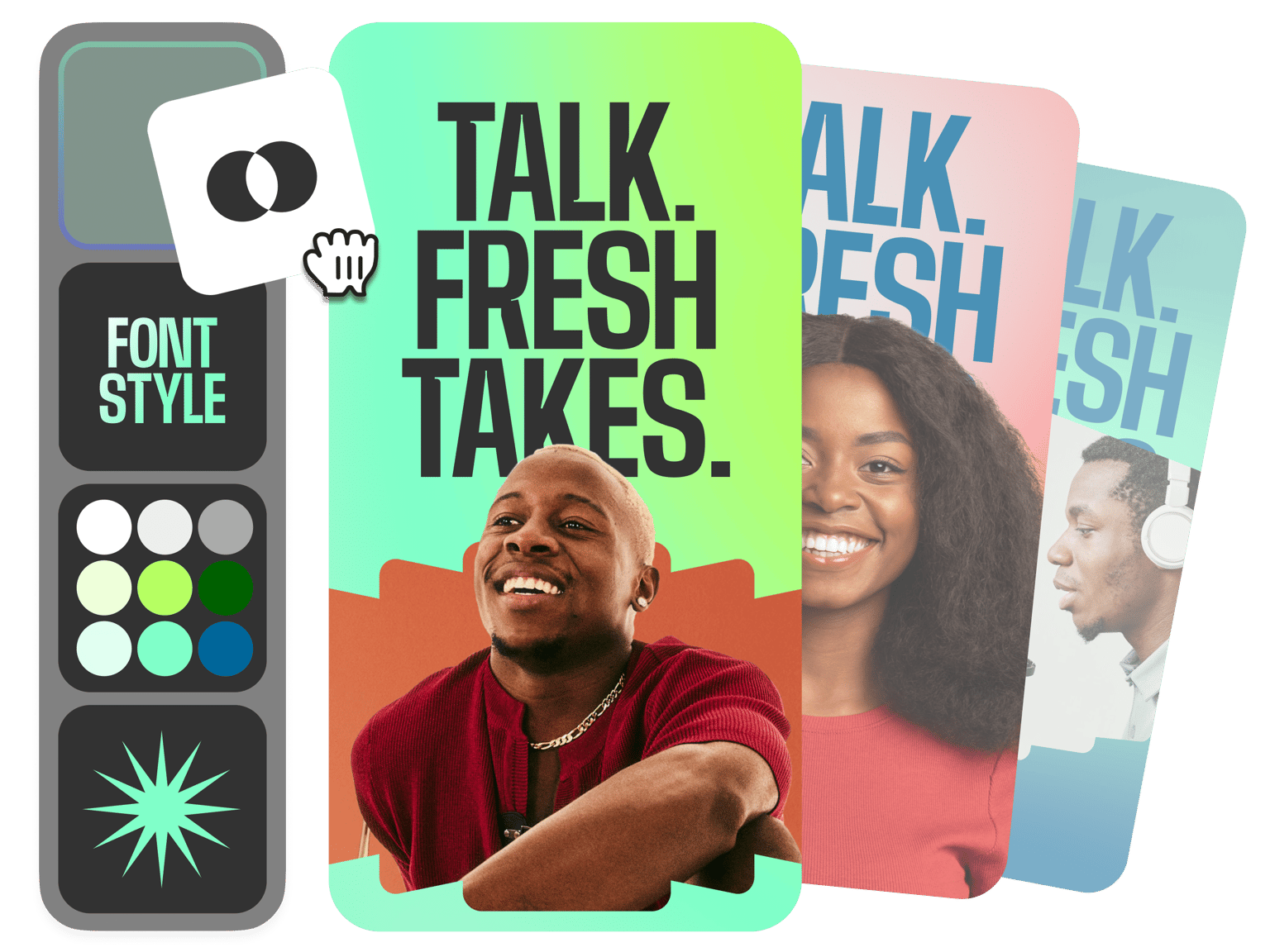
Need an animated banner for your Discord group channel and other chat platforms? Do you want to create a GIF banner for your social media pages? Use VEED’s professional video editing platform to create banners with your branding so you can keep your fans engaged while also establishing your brand online! You can select a GIF from our Elements tool or turn a video into a GIF. Add your logo, brand colors, and fonts using our brand kit. Our brand kit is available to our premium subscribers (check our pricing page for more info.)
Ways to create a GIF banner:
Step 01
Select a GIF and personalize
You can select an existing GIF from our Elements tool and customize it. Add text, images, logos, and more.
Step 02
Animate elements, use a video, and export as GIF
You can also export a video as a GIF from the download options. Create a GIF banner from scratch by adding elements like shapes, stickers, and more—and adding animated effects on them. Download your project as a GIF file.
Step 03
Post on your channel
Export your GIF and use it as a banner, featured video, or trailer on your YouTube channel, Discord group, website, blog, and other social media pages!
Learn More
‘GIF Banner Maker’ Tutorial
Use templates to create content fast!
Whether you’re creating a GIF or a video to use as a banner, VEED makes it fast and painless with ready-to-use, highly customizable video templates! Quickly replace placeholder text, images, and more. You can add your website to get more traffic, add CTA buttons, product information, and your logo. Download your project as a GIF file and use as your channel’s banner to establish your brand online.
Create stunning videos from stock media for your social pages
Make your video content compelling enough to get more clicks and views—the fast way by using stock audio and video from our library (available in premium). You can add background music and sound effects. Add stock videos to save on your content creation time and budget—allowing you to create and schedule video posts for all your channels efficiently.
Localize your videos by adding subtitles
Localize your videos for different regions by adding subtitles automatically to your videos. With an accuracy rating of 95% across languages, you can save time by simply fine-tuning words and phrases, instead of manually typing subs. Majority of videos are also viewed with the sound off on mobile. Adding subtitles is a great way to make sure that your videos get viewed on all platforms!
FAQ
You can select from a wide variety of professional video editing tools on VEED to create GIF banners. We have ready-to-use, high customizable GIFs that you can put together. You can also add different elements, videos, and images—animate them and download your project as a GIF file!
While Discord has its own platform that lets you create your group’s banner, VEED is still easier and faster to use. Plus, you can saveyour project and edit it at any time. VEED lets you add animated elements to your GIFs and videos - with highly customizable templates, animated stickers, GIFs, and more. Or you can search for animated videos from our stock library.
You can select the YouTube preset from the settings or manually enter the dimensions on the size field.
Depending on the social media platform, you can turn your video into a GIF and use it as your channel’s or page’s banner. Export your video as a GIF from VEED or copy and paste the embed code to embed it on your website.
Loved by creators.
Loved by the Fortune 500
“
With VEED I didn't need 15 tutorials - I jumped straight in and started editing.

Gwenne Wilcox
Founder,
Brand Brainery
“
You can go beyond choppping things. VEED actually makes my videos look great.

Michael Glover
Demand Gen Manager,
ConvertFlow
“
The first four videos i created with VEED got over 40,000 impressions on LinkedIn.

Travis Tyler
Senior Content Producer,
PandaDoc
“
I found VEED at the right time: if you're making UGC ads and not using Eye Contact Correction and Noise Reduction on VEED you're missing out on ROI.

Sebastian Schurgers
Head of Growth Marketing,
Gronda
“
With VEED I didn't need 15 tutorials - I jumped straight in and started editing.
Gwenne Wilcox
Founder,
Brand Brainery
“
You can go beyond choppping things. VEED actually makes my videos look great.
Michael Glover
Demand Gen Manager,
ConvertFlow
“
The first four videos i created with VEED got over 40,000 impressions on LinkedIn.
Travis Tyler
Senior Content Producer,
PandaDoc
“
I found VEED at the right time: if you're making UGC ads and not using Eye Contact Correction and Noise Reduction on VEED you're missing out on ROI.
Sebastian Schurgers
Head of Growth Marketing,
Gronda
“
The first four videos i created with VEED got over 40,000 impressions on LinkedIn.
Travis Tyler
Senior Content Producer,
PandaDoc
“
I found VEED at the right time: if you're making UGC ads and not using Eye Contact Correction and Noise Reduction on VEED you're missing out on ROI.
Sebastian Schurgers
Head of Growth Marketing,
Gronda
“
With VEED I didn't need 15 tutorials - I jumped straight in and started editing.
Gwenne Wilcox
Founder,
Brand Brainery
“
You can go beyond choppping things. VEED actually makes my videos look great.
Michael Glover
Demand Gen Manager,
ConvertFlow
Trusted by 1M+ creators
When it comes to amazing videos, all you need is VEED
No credit card required
More than a GIF banner maker
VEED lets you do so much more than just create GIF banners for your online communities and social media pages! It’s a professional video editing software that makes video content creation efficient and fun. Don’t waste your time configuring complex settings using expensive video editing apps! VEED lets you create professional-looking videos fast—without the learning curve. So you can focus on being creative and growing your audience! Try VEED now and start creating meaningful, engaging, and powerful video content to establish your brand online!